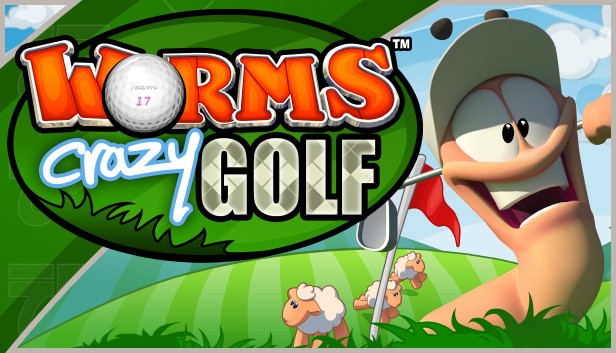
The Worms™ Crazy Golf “Carnival Course” Pack is a free downloadable content pack update that adds plenty of new content to Worms™ Crazy Golf. The “Carnival Course” Pack includes the new 18-hole ‘Carnival’ crazy golf course, 5 new challenges with leaderboards, the new ‘bouncy ball’ utility, and brand new customisation items to unlock, including hats, balls and speech banks.
Includes:
1 new ‘Carnival’ themed Worms™ Crazy Golf course, with 18 new holes.
5 new challenges with leaderboards.
1 new utility – the ‘bouncy ball’.
Brand new customisation items to unlock - 4 Hats, 3 Golf Balls and 2 Speech Banks.
Worms™ Crazy Golf is a hilarious mixture of the explosive action of Worms™ and the puzzle-based challenges of crazy golf! All of the trademark Worms™ humour, comic violence, and cartoon visuals are present, combined with addictive yet accessible golf gameplay. With extensive and re-playable single-player options, and hot-seat multi-player for up to 4 players, this is not just a load of balls!
Key Features:
EXTENSIVE SINGLE-PLAYER CONTENT:
Single-player career mode - x3 18-hole courses - Britannia, Pirate Cavern and Graveyard, with Steam Achievements.
Single-player challenge mode - x15 challenges with leaderboards.
LOCAL MULTI-PLAYER ACTION:
Hot-seat multi-player for up to 4 players.
HIGHLY RE-PLAYABLE PUZZLE-BASED GAMEPLAY:
Crazy golf! Navigate the hilarious, and increasingly challenging, holes in unique ways with interactive objects, utilities and ball spin.
WORMS™ HUMOUR AND CHARACTERS:
Worms™ humour! Exploding sheep, teleports, ball-whacking Old Women, ball-stealing moles, mines, magnets and even new bats!
CRAZY CUSTOMIZATION:
Customize the name, hat, club, speech and balls of your worm, and earn in game cash to unlock even more customization options.
Graphics: 128MB Video Card (GeForce4 or equivalent card)
Storage: 626 MB Space Free
Directx: DirectX® 9 or above
Sound card: DirectX® 9.0c-compliant sound card
Additional notes: Internet connection required
To activate the game, you need a Steam Account
Login or register at the official Steam Website and download Steam client
Install and start application, login with your Account name and Password
Click the Games Menu.
Choose Activate a Product on Steam...
Follow the onscreen instructions to complete the process
After the successful code verification, go to the "MY GAMES" tab and start downloading.
News & Updates
2026-01-16
Winter is the Perfect Time to Get Some Extra YXP
Winter season is much better with more games to play, so let’s kick-off 2026 with a storewide promotion bang and YXP level-ups then, shall we? For the first promo campaign this year we have prepared some incredible price drops and offers that you simply can’t miss out on! For the very short duration of only 3 days, you will have the opportunity to earn 50 extra YXP points in your account by making an order over 10€ …
Dive into Adrenaline-Fueled Battles in Code Vein II
We are starting the year with a review for a title that is ready to hit the market hard, because Code Vein II is the upcoming sequel to the 2019 soulslike Action RPG developed by Bandai Namco Studios. The game’s Steam page is already getting a lot of attention and for those of you looking to find out what is new in the gameplay and storyline compared to the original title, well… you are at the right place!