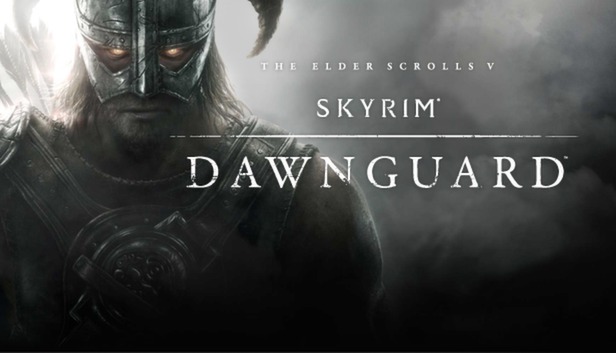
Dawnguard™ is the first official game add-on for The Elder Scrolls V: Skyrim® - the 2011 Game of the Year. The Vampire Lord Harkon has returned to power. By using the Elder Scrolls, he seeks to do the unthinkable - to end the sun itself. Will you join the ancient order of the Dawnguard and stop him? Or will you become a Vampire Lord yourself? Featuring an all new faction questline and locations, the ultimate choice will be yours.
Key Features:
New Weapons, Armor, Spells and Shouts. Join the Dawnguard and wield all new crossbows and craft your own arrows, bolts, and Dragonbone weapons. Use new weapons, armor, spells and shouts, including the Soul Tear shout – that rips the souls from your enemies and turns them into your minions.
Become a Vampire Lord. Side with the vampires and become a Vampire Lord yourself. Hover across the ground, turn yourself into bats, levitate your enemies as you drain their life, and more. The Vampire Lord features its own upgradable perk system.
Werewolf Perks added. Playing as a werewolf now has its own upgradable perk system including Bestial Strength, Animal Vigor, and Savage Feeding.
New Locations and Creatures. Choose from two new fortresses to upgrade and call home, Castle Volkihar or Fort Dawnguard. Discover lost valleys and travel to a new realm of Oblivion, the Soul Cairn. Battle new creatures including Death Hounds, Gargoyles, Armored Trolls, and all new vampires and dragons.
Change Your Appearance. Visit Riften’s Ratway and find the woman who can change your appearance, altering your face or hair.
Additional notes: * Starting January 1st, 2024, the Steam Client will only support Windows 10 and later versions.
windows Recommended
OS: Windows 7/8.1/10 (64-bit Version)
Processor: Intel i5-2400/AMD FX-8320
Memory: 8 GB RAM
Graphics: NVIDIA GTX 780 3GB /AMD R9 290 4GB
Storage: 12 GB available space
Additional notes: * Starting January 1st, 2024, the Steam Client will only support Windows 10 and later versions.
To activate the game, you need a Steam Account
Login or register at the official Steam Website and download Steam client
Install and start application, login with your Account name and Password
Click the Games Menu.
Choose Activate a Product on Steam...
Follow the onscreen instructions to complete the process
After the successful code verification, go to the "MY GAMES" tab and start downloading.
News & Updates
2026-02-27
Monthly Recap - February Edition
Even though February is the shortest month of the year it is still quite eventful in the gaming industry and there were quite a few things going on around it! We have selected a few of the more intriguing stories about some of the bigger game title hits that are worthy to be included in our monthly recap, as well as some memorable comebacks that you should not miss out on! Get ready for the rumble as we set out…
Football fans unite and gather for this one as this year’s edition of one of the biggest gaming titles in the sports category – EA Sports FC 27 is coming and rumors around the field have it that there would be an open world to be introduced in the gameplay! We wanted to join the discussion and find out if that is actually a necessity in a sports game, where the main focus should be on the matches…