This content requires the base game in order to play:Stellaris
Game Description
System Requirements
Activation Details
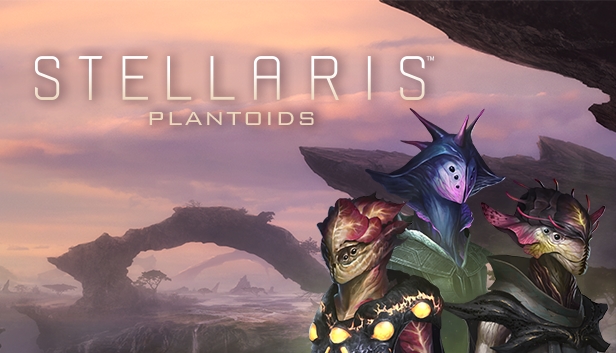
The Plantoids Species Pack introduces a new phenotype for players with unique traits and civics, new ships, and a selection of new player portraits and cityscapes. Plantoids gives players the ability to play as a plant-like species that has gained sentience and begun to spread its tendrils across the galaxy, planting the roots of new civilizations on new planets. From new species traits that allow for budding populations and phototropic resource needs to the ability to terraform new Gaia Worlds, players can seed their empires and branch out in new ways.
Plantoids includes:
New Civics
New Species Traits
New Species Portraits
New Templates for Plantoid Ships
New Cityscape Art
UPDATE (2021)
As of the 3.1 update for Stellaris, the Plantoids Species Pack has really branched out, now including Plantoid-specific traits and civics. Players can now make their citizens phototrophic or even radiotrophic; they can take on the Idyllic Bloom civic that allows for terraforming planets into Gaia Worlds, or the Catalytic Processing civic to turn food into alloys.
These additions are available now at no extra cost in the Plantoid Species Pack!
windows Minimum
OS: Windows® 10 Home 64 Bit
Processor: Intel® iCore™ i3-530 or AMD® FX-6350
Memory: 4 GB RAM
Graphics: Nvidia® GeForce™ GTX 460 or AMD® ATI Radeon™ HD 5870 (1GB VRAM), or AMD® Radeon™ RX Vega 11 or Intel® HD Graphics 4600
Storage: 10 GB available space
Directx: Version 9.0c
Network: Broadband Internet connection
Sound card: Direct X 9.0c- compatible sound card
Additional notes: Controller support: 3-button mouse, keyboard and speakers. Special multiplayer requirements: Internet Connection
windows Recommended
OS: Windows® 10 Home 64 Bit
Processor: Intel® iCore™ i5-3570K or AMD® Ryzen™ 5 2400G
Memory: 4 GB RAM
Graphics: Nvidia® GeForce™ GTX 560 Ti (1GB VRAM) or AMD® Radeon™ R7 370 (2 GB VRAM)
Storage: 10 GB available space
Directx: Version 12
Network: Broadband Internet connection
Sound card: DirectX 9.0c-compatible sound card
Additional notes: Controller support: 3-button mouse, keyboard and speakers. Special multiplayer requirements: Internet Connection
To activate the game, you need a Steam Account
Login or register at the official Steam Website and download Steam client
Install and start application, login with your Account name and Password
Click the Games Menu.
Choose Activate a Product on Steam...
Follow the onscreen instructions to complete the process
After the successful code verification, go to the "MY GAMES" tab and start downloading.
News & Updates
2026-06-11
Celebrate FIFA World Cup 2026 with YUPLAY
The FIFA World Cup 2026 is coming in hot this summer and while these coming weeks it is all going to be centered around the best game in the world of sports, we decided to bring you a dedicated YUPLAY giveaway to commemorate the occasion together! This promotional giveaway campaign invites all of our followers to try and predict the exact final scores of selected matches from the World Cup…
First V-Bucks, Now Steam Decks: Why Gaming is Getting More Expensive
Has gaming been steadily becoming more and more expensive lately? In the past months and quarters there has definitely been an increase in pricing in both the software and hardware departments of gaming and this trend has definitely stricken the market in more than a couple of ways. The industry has experienced a trend of gaming price increases as well as more expensive subscriptions…