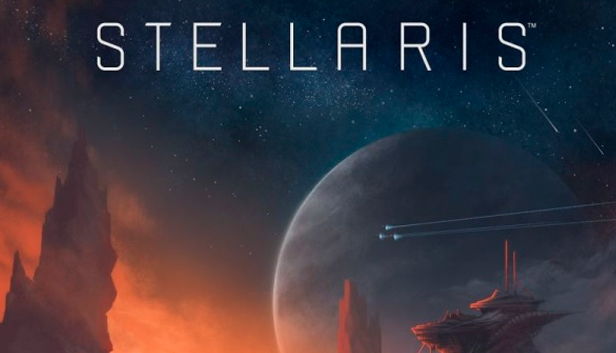
Explore a vast galaxy full of wonder! Paradox Development Studio, makers of the Crusader Kings and Europa Universalis series presents Stellaris, an evolution of the grand strategy genre with space exploration at its core.
Featuring deep strategic gameplay, a rich and enormously diverse selection of alien races and emergent storytelling, Stellaris has engaging challenging gameplay that rewards interstellar exploration as you traverse, discover, interact and learn more about the multitude of species you will encounter during your travels.
Etch your name across the cosmos by forging a galactic empire; colonizing remote planets and integrating alien civilizations. Will you expand through war alone or walk the path of diplomacy to achieve your goals?
Deep & Varied Exploration.
Enormous procedural galaxies, containing thousands of planets.
Explore Anomalies with your heroic Scientist leaders.
Infinitely varied races through customization and procedural generation.
Advanced Diplomacy system worthy of a Grand Strategy Game.
Ship Designer based on a vast array of technologies.
Graphics: Nvidia® GeForce™ GTX 460 or AMD® ATI Radeon™ HD 5870 (1GB VRAM), or AMD® Radeon™ RX Vega 11 or Intel® HD Graphics 4600
Storage: 10 GB available space
Directx: Version 9.0c
Network: Broadband Internet connection
Sound card: Direct X 9.0c- compatible sound card
Additional notes: Controller support: 3-button mouse, keyboard and speakers. Special multiplayer requirements: Internet Connection
windows Recommended
OS: Windows® 10 Home 64 Bit
Processor: Intel® iCore™ i5-3570K or AMD® Ryzen™ 5 2400G
Memory: 4 GB RAM
Graphics: Nvidia® GeForce™ GTX 560 Ti (1GB VRAM) or AMD® Radeon™ R7 370 (2 GB VRAM)
Storage: 10 GB available space
Directx: Version 12
Network: Broadband Internet connection
Sound card: DirectX 9.0c-compatible sound card
Additional notes: Controller support: 3-button mouse, keyboard and speakers. Special multiplayer requirements: Internet Connection
To activate the game, you need a Steam Account
Login or register at the official Steam Website and download Steam client
Install and start application, login with your Account name and Password
Click the Games Menu.
Choose Activate a Product on Steam...
Follow the onscreen instructions to complete the process
After the successful code verification, go to the "MY GAMES" tab and start downloading.
News & Updates
2026-10-23
BOO! Giveaway - Win a Game of Your Choice
Make a purchase of any amount between 23.10.2026 15:00 CET and 28.10.2026 15:00 CET, submit your Order ID in our Gleam and get a chance to win a FREE GAME (up to 50€).…
This game's launcher/setup tool may require the touchscreen or virtual keyboard, or have difficult to read text
Some functionality is not accessible when using the default controller configuration, requiring use of the touchscreen or virtual keyboard, or a community configuration
This game sometimes shows mouse, keyboard, or non-Steam-Deck controller icons
Entering some text requires manually invoking the on-screen keyboard
In-game interface text is legible on Steam Deck
This game's default graphics configuration performs well on Steam Deck