This content requires the base game in order to play:OMSI 2
Game Description
System Requirements
Activation Details
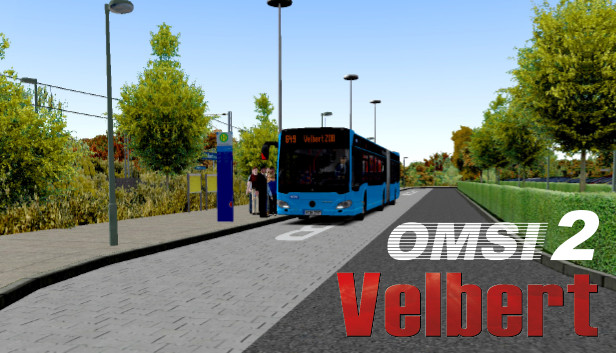
With the new OMSI 2 add-on Velbert you have the opportunity to explore another German city in North Rhine-Westphalia in the heart of the “Niederbergisches Land” with two full bus lines. Over 200 new real buildings were developed especially for this add-on and make the city of Velbert look very realistic.
On two different bus lines, you will transport your passengers through the “Bergisches Land” with many differences in altitude from Velbert over Tönisheide, Neviges, and Rosenhügel to the big city and center of the Bergisches Land Wuppertal.
The longest bus line 649 serves all towns and cities with each other and, during the night hours, the area between Velbert and Rosenhügel as well. Line SB66, on the other hand, operates a fast and direct connection between the two major transportation hubs Velbert ZOB and Wuppertal HBF via the mountainous A535 highway with large viaducts and a tunnel.
Features
City bus line 649 with 60 minutes travel time
Express bus line SB66 with 30 minutes travel time
Real timetable data of WSW and Deutsche Bahn
Real elevation data of the area with very special gradients
Two large modern bus stations like Velbert ZOB
Two smaller transport hubs with rail connections
200 new buildings and objects especially for this add-on
34 kilometers of track
5 kilometers of A535 highway with tunnels and viaducts
Processor: Dual-Core, e.g. Core i5 with 2.8 GHz or comparable
Memory: 4 GB RAM
Graphics: 3D graphics card with at least 2,048 MB
Storage: 10 GB available space
Directx: Version 9.0c
Sound card: Yes
Additional notes: * Starting January 1st, 2024, the Steam Client will only support Windows 10 and later versions.
windows Recommended
OS: Windows 8 / 8.1 / 10 / 11 (64-bit)
Processor: Quad-Core with 3.0 GHz
Memory: 8 GB RAM
Graphics: GeForce or comparable AMD with 1024 MB
Directx: Version 9.0c
To activate the game, you need a Steam Account
Login or register at the official Steam Website and download Steam client
Install and start application, login with your Account name and Password
Click the Games Menu.
Choose Activate a Product on Steam...
Follow the onscreen instructions to complete the process
After the successful code verification, go to the "MY GAMES" tab and start downloading.
News & Updates
2025-12-01
Monthly Recap - November Edition
As the year is almost done, we are getting ready for some of the biggest stories of 2025, in this edition of our YUPLAY monthly recap we are going to inform you about the latest information regarding a few of the most demanded upcoming titles this season, with their respective exciting reveals, DLC launches and even one massive AAA hit delay we all dread. As for the hardware department, there is also quite a bit of new tech gadgets…
You want to get the best gaming price deals available on the market, right? Well, look no further than our ANTI-BLACK FRIDAY promotion then, as we got a storewide campaign that would blow you away not just for a single day or a weekend, but for a total of 5 whole days. That is far from everything though, just make an order of at least 20€ between 26.11.2025 12:00 CET and 01.12.2025 15:00 CET, and you will get a FREE game…