This content requires the base game in order to play:OMSI 2
Game Description
System Requirements
Activation Details
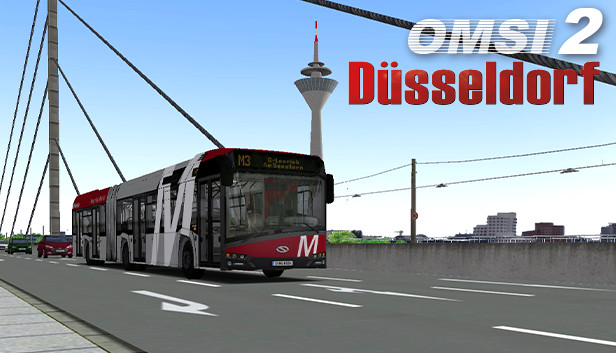
Experience the North Rhine-Westphalian regional capital with two Urbino IV versions on routes for five accessible bus lines – amongst others the metrobus line M3. Pass skyscrapers and drive through the daily rush hour in the midst of the city. Over 500 buildings and objects especially developed for Düsseldorf make the city a detailed extension for OMSI 2.
The addon is constantly being updated by chrono events. On top of that, due to random events, there is always variety on the map even during longer play times. Besides, a replacement bus service that wonderfully connects the map with Wuppertal is available as well.
Experience the North Rhine-Westphalian regional capital with two Urbino IV versions on routes for five accessible bus lines – amongst others the metrobus line M3. Pass skyscrapers and drive through the daily rush hour in the midst of the city. Over 500 buildings and objects especially developed for Düsseldorf make the city a detailed extension for OMSI 2.
The addon is constantly being updated by chrono events. On top of that, due to random events, there is always variety on the map even during longer play times.
Besides, a replacement bus service that wonderfully connects the map with Wuppertal is available as well.
FEATURES
Urbino IV as Metrobus and city bus version
City bus lines 835, 836
Metrobus line M3
Night bus line NE7
Special line SEV (replacement bus service)
Over 500 objects especially developed for Düsseldorf
Processor: Dual-Core, e.g. Core i5 with 2.8 GHz or comparable
Memory: 4 GB RAM
Graphics: 3D graphics card with at least 2,048 MB
Storage: 10 GB available space
Directx: Version 9.0c
Sound card: Yes
Additional notes: * Starting January 1st, 2024, the Steam Client will only support Windows 10 and later versions.
windows Recommended
OS: Windows 8 / 8.1 / 10 / 11 (64-bit)
Processor: Quad-Core with 3.0 GHz
Memory: 8 GB RAM
Graphics: GeForce or comparable AMD with 1024 MB
Directx: Version 9.0c
To activate the game, you need a Steam Account
Login or register at the official Steam Website and download Steam client
Install and start application, login with your Account name and Password
Click the Games Menu.
Choose Activate a Product on Steam...
Follow the onscreen instructions to complete the process
After the successful code verification, go to the "MY GAMES" tab and start downloading.
News & Updates
2025-12-16
Double Up on Christmas Deals with YUPLAY
This Christmas we got not just one, but actually two very interesting promotions prepared for you! The first out of the two Christmas holiday promos is going to last a bit more than a week and it would include discounts on all the games we got on our website and if you decide to buy at least 2 (or more) game titles, at checkout there would be an automatic 10% (with a maximum cap limit of 3€) taken off from the cheaper one in the order. The second one…
As the holiday season is already nearly here, we prepared a special Christmas Giveaway that would let you test your gaming IQ with YUPLAY and win some awesome prizes while doing it! Make sure to regularly check and follow our YUPLAY X profile in order to be in the know about any possible chances to participate and enter the Christmas Giveaway in a timely manner. Are you up to the challenge and ready to guess some great gaming titles?