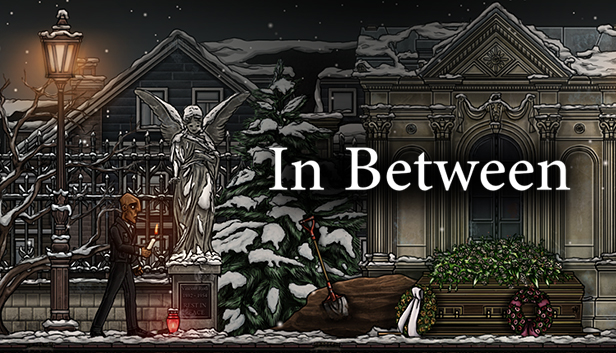
In Between is an atmospheric, award-winning platformer where you solve mind-bending puzzles by manipulating your surroundings and gravity itself.
60 challenging levels
In Between is set inside the mind of a man hit by a cruel twist of fate. Together you are on a journey through the protagonist's head, a world that doesn’t obey the laws of physics. Free your mind and defy gravity in more than 60 compelling and unique puzzles, requiring all your wits and agility.
Gameplay changing stages
As you follow the protagonist stumbling through the stages of accepting his own mortality, new mechanics are introduced. Each stage offers unique gameplay reflecting the emotions that surface when the protagonist copes with his fate.
A touching history
Every human has a story to tell. But you never know when the story ends. Be invited to learn about the protagonist’s life and his struggle for a happy ending. In Between features interactive story sequences and a profound narrator immersing you into a life of downfalls and moments of happiness.
Entirely Handmade
Much effort was put into detail to feature a unique art style with every asset made entirely by hand. Every scenery is a painting, providing a beautiful frame for a tragic story. This also extends to sound design and music featuring unusual and interactive soundscapes.
Key Features:
2D based, story driven Puzzle Platformer.
Mechanics derived from thanatology.
4-way gravity alteration / physics based gameplay.
Static and dynamic obstacles, reacting to player’s actions.
Interactive story sequences.
windows Minimum
OS: Windows 7
Processor: Intel Core 2 Duo at 2 GHz, or AMD Athlon 64 X2 2 GHz
Memory: 2 GB RAM
Graphics: Intel HD4000
Storage: 1 GB available space
Directx: Version 9.0c
macosx Minimum
OS: OS X 10.9
Processor: 2,4GHz Intel Core 2 Duo
Memory: 2 GB RAM
Graphics: Intel HD4000
Storage: 1 GB available space
linux Minimum
OS: SteamOS, Ubuntu 14.04 or later
Processor: Intel Core 2 Duo at 2 GHz, or AMD Athlon 64 X2 2 GHz
Memory: 2 GB RAM
Graphics: Intel HD4000
Storage: 1 GB available space
To activate the game, you need a Steam Account
Login or register at the official Steam Website and download Steam client
Install and start application, login with your Account name and Password
Click the Games Menu.
Choose Activate a Product on Steam...
Follow the onscreen instructions to complete the process
After the successful code verification, go to the "MY GAMES" tab and start downloading.
News & Updates
2026-06-11
Celebrate FIFA World Cup 2026 with YUPLAY
The FIFA World Cup 2026 is coming in hot this summer and while these coming weeks it is all going to be centered around the best game in the world of sports, we decided to bring you a dedicated YUPLAY giveaway to commemorate the occasion together! This promotional giveaway campaign invites all of our followers to try and predict the exact final scores of selected matches from the World Cup…
First V-Bucks, Now Steam Decks: Why Gaming is Getting More Expensive
Has gaming been steadily becoming more and more expensive lately? In the past months and quarters there has definitely been an increase in pricing in both the software and hardware departments of gaming and this trend has definitely stricken the market in more than a couple of ways. The industry has experienced a trend of gaming price increases as well as more expensive subscriptions…