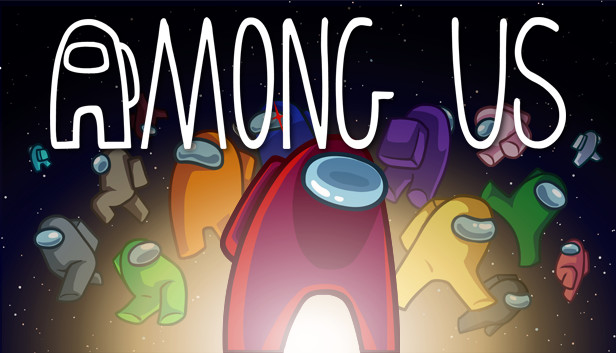
Play with 4-15 players online or via local WiFi as you attempt to prepare your spaceship for departure, but beware as one or more random players among the Crew are Impostors bent on killing everyone!
Originally created as a party game, we recommend playing with friends at a LAN party or online using voice chat. Enjoy cross-platform play between Android, iOS, PC, and console.
Gameplay for Crewmates
Win by completing tasks to prepare the ship or ejecting all Impostors.
React quickly to undo the Impostor's sabotages.
Check the Admin map and Security cameras to keep tabs on other Crewmates.
Report any dead bodies immediately to start discussion of who the suspected Impostor is.
Call emergency meetings to discuss suspicious behavior.
Vote to eject suspected Impostors.
Gameplay for Impostors
Kill Crewmates and frame bystanders.
Pretend to run tasks to blend in with the crewmates.
Sneak through the vents to quickly move about the ship.
Use sabotages to cause chaos and divide the crew.
Close doors to trap victims and kill in private.
Features
Customization: Pick your color, hat, visor, skin, and pet.
Lots of game options: Add more Impostors, more tasks, different roles, and so much more!
Different modes to choose from: Classic or Hide n Seek.
4 different maps to play in: The Skeld, MIRA HQ, Polus, and the Airship.
Quickly find a game online from the host list.
In-game text chat.
Rich Discord integration.
Cross-platform play between PC, console, Android, and iOS!
windows Minimum
OS: Windows 10 x32bit
Processor: INTEL i3-4330
Memory: 1 GB RAM
Graphics: INTEL HD Graphics 4600
windows Recommended
OS: Windows 10 x64bit
Processor: INTEL i3-4330
Memory: 4 GB RAM
Graphics: Nvidia GTX 650
To activate the game, you need a Steam Account
Login or register at the official Steam Website and download Steam client
Install and start application, login with your Account name and Password
Click the Games Menu.
Choose Activate a Product on Steam...
Follow the onscreen instructions to complete the process
After the successful code verification, go to the "MY GAMES" tab and start downloading.
News & Updates
2026-06-02
Monthly Recap - May Edition
For this month’s YUPLAY recap we have prepared some very interesting news pieces about upcoming updates, premiers and exclusive news in the world of video games. Be sure to check out the fine selections of short stories including new Warhammer 40K Dawn of War game and yet another Civilization VII update, as we go through what really shaped up as a very fruitful month for the gaming industry…
Beyond the Main Story: The Best Things to Do in GTA 6
Welcome back to Vice City! Ready to ride through the streets with us and go sightseeing in the most anticipated GTA game to date? Finally, after a more than a couple of delays, there has even been a confirmed GTA 6 release date that should absolutely be included in the article, and that would be 19.11.26. Put on your best drip and hop in the YUPLAY review wagon with us and let’s begin the tour immediately…
Entering some text requires manually invoking the on-screen keyboard
This game does not default to external Bluetooth/USB controllers on Deck, and may require manually switching the active controller via the Quick Access Menu
All functionality is accessible when using the default controller configuration
This game shows Steam Deck controller icons
In-game interface text is legible on Steam Deck
This game's default graphics configuration performs well on Steam Deck