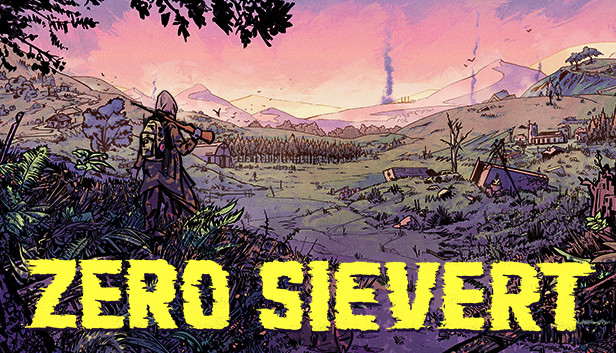
ZERO Sievert charges you with scavenging equipment across multiple areas, all set in an atmospheric fictitious post-apocalyptic Eastern Europe setting. Your base of operations, the bunker, is filled with traders, modding stations, and areas to make your own, providing you with progression across your excursions into the wild.
A Wasteland to Explore
Once you’re out in the wilds of the wasteland, however, the situation becomes a lot less secure. Across the five biomes of the game, you’ll initially be armed with little more than a gun and a bottle of water, after which point it’s up to you to recover items, take out bandits, and most importantly, get back alive. Be warned; the nuclear fallout may have impacted some of the local wildlife...
Procedurally generated maps make every journey different, with ever-changing hiding spots, loot locations, and layouts. With over five maps to explore, be sure to adapt and learn each one's secrets to get in, get out, and get better.
Full Weapon Modification
Hunt in a way that suits your playstyle, with over 35 unique guns and 150 mods that can be combined to make you the biggest threat in the wastes of ZERO Sievert. Create a weapon that suits your style or focus on stats to become the ultimate hunter.
Looting and Questing
Multiple questlines guide you through the world of ZERO Sievert. Through talking with a range of characters, you’ll slowly unravel information and lore about the world that’s been left behind. Alongside this, there are more than 100 different items to loot, which can be used to craft new items, upgrade your own base, and trade.
windows Minimum
OS: Windows 10
Processor: Intel Core 2 Duo E8400
Memory: 4 GB RAM
Graphics: Integrated GPU
Storage: 300 MB available space
Additional notes: May struggle on older laptops
windows Recommended
OS: Windows 10
Processor: 1.7 GHz Dual Core CPU
Memory: 4 GB RAM
Graphics: NVIDIA GeForce GTX 260, ATI Radeon 4870 HD
Storage: 300 MB available space
Additional notes: Everything that's not 7+ years old
To activate the game, you need a Steam Account
Login or register at the official Steam Website and download Steam client
Install and start application, login with your Account name and Password
Click the Games Menu.
Choose Activate a Product on Steam...
Follow the onscreen instructions to complete the process
After the successful code verification, go to the "MY GAMES" tab and start downloading.
News & Updates
2026-03-30
Join the Easter Raid Party and Win a Free Game
The Easter season is here and since we like this part of the year so much, we have made sure to have prepared a special YUPLAY promotional campaign for those of you that are ready to go into the Raid Party and grab a FREE gaming title. All you have to do is make an order above 20€ between 02.04.2026 15:00 CET and 08.04.2026 15:00 CET, and you will get a FREE game as ab Easter present from us…
Early Spring season has definitely delivered on some exciting updates, game announcements, and promising releases to be on the lookout for until the end of this year. So, let’s immediately have a better look at some of the more outstanding news that happened on the gaming scene during the month of March 2026 that we decided to cover for you…