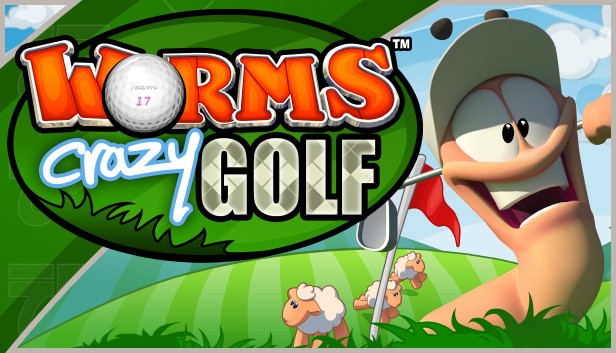
The Worms™ Crazy Golf “Carnival Course” Pack is a free downloadable content pack update that adds plenty of new content to Worms™ Crazy Golf. The “Carnival Course” Pack includes the new 18-hole ‘Carnival’ crazy golf course, 5 new challenges with leaderboards, the new ‘bouncy ball’ utility, and brand new customisation items to unlock, including hats, balls and speech banks.
Includes:
1 new ‘Carnival’ themed Worms™ Crazy Golf course, with 18 new holes.
5 new challenges with leaderboards.
1 new utility – the ‘bouncy ball’.
Brand new customisation items to unlock - 4 Hats, 3 Golf Balls and 2 Speech Banks.
Worms™ Crazy Golf is a hilarious mixture of the explosive action of Worms™ and the puzzle-based challenges of crazy golf! All of the trademark Worms™ humour, comic violence, and cartoon visuals are present, combined with addictive yet accessible golf gameplay. With extensive and re-playable single-player options, and hot-seat multi-player for up to 4 players, this is not just a load of balls!
Key Features:
EXTENSIVE SINGLE-PLAYER CONTENT:
Single-player career mode - x3 18-hole courses - Britannia, Pirate Cavern and Graveyard, with Steam Achievements.
Single-player challenge mode - x15 challenges with leaderboards.
LOCAL MULTI-PLAYER ACTION:
Hot-seat multi-player for up to 4 players.
HIGHLY RE-PLAYABLE PUZZLE-BASED GAMEPLAY:
Crazy golf! Navigate the hilarious, and increasingly challenging, holes in unique ways with interactive objects, utilities and ball spin.
WORMS™ HUMOUR AND CHARACTERS:
Worms™ humour! Exploding sheep, teleports, ball-whacking Old Women, ball-stealing moles, mines, magnets and even new bats!
CRAZY CUSTOMIZATION:
Customize the name, hat, club, speech and balls of your worm, and earn in game cash to unlock even more customization options.
Graphics: 128MB Video Card (GeForce4 or equivalent card)
Storage: 626 MB Space Free
Directx: DirectX® 9 or above
Sound card: DirectX® 9.0c-compliant sound card
Additional notes: Internet connection required
To activate the game, you need a Steam Account
Login or register at the official Steam Website and download Steam client
Install and start application, login with your Account name and Password
Click the Games Menu.
Choose Activate a Product on Steam...
Follow the onscreen instructions to complete the process
After the successful code verification, go to the "MY GAMES" tab and start downloading.
News & Updates
2026-07-20
Our Way of Saying Thank You
Great games are nothing without loyal gamers and we're grateful to have such an amazing community that supports our store. That’s why we’re launching our special “YUPLAY Is Feeling Generous” campaign as a way of saying “Thank you”. During this campaign, with every order over €30 you will receive a free 10% discount code that can be used during your next purchase…
The FIFA World Cup 2026 is coming in hot this summer and while these coming weeks it is all going to be centered around the best game in the world of sports, we decided to bring you a dedicated YUPLAY giveaway to commemorate the occasion together! This promotional giveaway campaign invites all of our followers to try and predict the exact final scores of selected matches from the World Cup…