2026-10-02
YXP Extra Event: Give Your Next Rank a Boost!
Earn 50 BONUS YXP with every €10+ order! Boost your progress, climb the ranks, and get more from your next purchase during the YXP Extra Event.



Free DLC just released!
The Worms™ Crazy Golf “Carnival Course” Pack is a free downloadable content pack update that adds plenty of new content to Worms™ Crazy Golf. The “Carnival Course” Pack includes the new 18-hole ‘Carnival’ crazy golf course, 5 new challenges with leaderboards, the new ‘bouncy ball’ utility, and brand new customisation items to unlock, including hats, balls and speech banks.1 new ‘Carnival’ themed Worms™ Crazy Golf course, with 18 new holes.
5 new challenges with leaderboards.
1 new utility – the ‘bouncy ball’.
Brand new customisation items to unlock - 4 Hats, 3 Golf Balls and 2 Speech Banks.
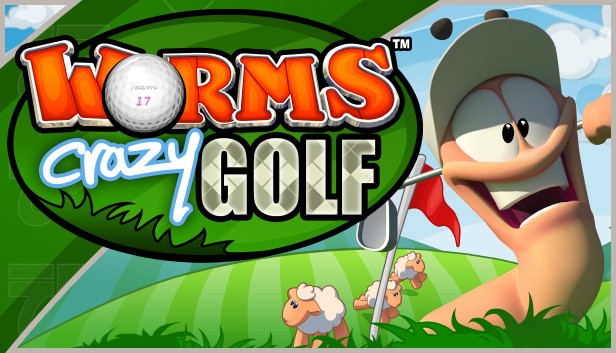
Worms™ Crazy Golf is a hilarious mixture of the explosive action of Worms™ and the puzzle-based challenges of crazy golf! All of the trademark Worms™ humour, comic violence, and cartoon visuals are present, combined with addictive yet accessible golf gameplay. With extensive and re-playable single-player options, and hot-seat multi-player for up to 4 players, this is not just a load of balls!
EXTENSIVE SINGLE-PLAYER CONTENT:
LOCAL MULTI-PLAYER ACTION:
HIGHLY RE-PLAYABLE PUZZLE-BASED GAMEPLAY:
WORMS™ HUMOUR AND CHARACTERS:
CRAZY CUSTOMIZATION:
Worms™ Crazy Golf. Developed by Team17 Software Ltd. © 2011. Team17 Software Ltd. and Worms™ Crazy Golf are trademarks or registered trademarks of Team17 Software Limited. Original Concept by Andy Davidson. All other trademarks, copyrights and logos are property of their respective owners. Developed and published by Team17 Software Ltd.