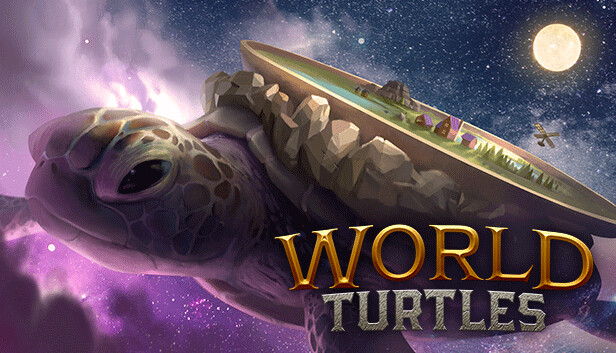
The Turtle beckons! You have been selected by a tribe of peace-loving Meeps to save the life of their World Turtle, a giant space reptile carrying the entire world as they know it on its back. Establish a new way for Meeps to survive and create a sustainable society... All the while feeding the great World Turtle to ensure that it doesn't perish along its endless way.
Cooperation, not conquest, will be necessary for success when the Turtle wanders into the more treacherous stretches of space or - perhaps - meets others of its kind…
World Turtles is a wholesome colony builder with the primary goal of sustainability. The Meeps are eager to work, enthusiastic like no other, and unfortunately, exceptionally disorganized without leadership.
That's where you come in. Build up the Meepvilization from a small village in one corner of the turtleback to a sprawling colony that has mastered the challenges of living on the literal back of a spacefaring reptile.
You'll have to explore across the turtleback, unite the Meep tribes, and research new forms of economic sustainability. No two playthroughs will be the same thanks to procedural generation of the turtle and the universe it flies through. But once the turtleback knows world peace and the hungry, hungry turtle is safe… it's time to launch the Meeps Space Program!
Once full and healthy, the World Turtle can take the Meeps’ world wherever they want. But while space is full of opportunity, there is also danger! Sectors can impact life on the turtleback - alter the climate, water levels, or unleash (un)natural catastrophes. Prepare the Meeps adequately and help them survive the journey of a lifetime.
World Turtles is a labor of love by a solo developer from South Africa who has always wanted to create for others. The concept of World Turtles deserves to be developed further, together with an enthusiastic community. Join the Early Access, hop onto the back, and take part in this curious intergalactic tale!
Login or register at the official Steam Website and download Steam client
Install and start application, login with your Account name and Password
Click the Games Menu.
Choose Activate a Product on Steam...
Follow the onscreen instructions to complete the process
After the successful code verification, go to the "MY GAMES" tab and start downloading.
News & Updates
2026-07-20
Our Way of Saying Thank You
Great games are nothing without loyal gamers and we're grateful to have such an amazing community that supports our store. That’s why we’re launching our special “YUPLAY Is Feeling Generous” campaign as a way of saying “Thank you”. During this campaign, with every order over €30 you will receive a free 10% discount code that can be used during your next purchase…
The FIFA World Cup 2026 is coming in hot this summer and while these coming weeks it is all going to be centered around the best game in the world of sports, we decided to bring you a dedicated YUPLAY giveaway to commemorate the occasion together! This promotional giveaway campaign invites all of our followers to try and predict the exact final scores of selected matches from the World Cup…
Some functionality is not accessible when using the default controller configuration, requiring use of the touchscreen or virtual keyboard, or a community configuration
This game sometimes shows mouse, keyboard, or non-Steam-Deck controller icons
Entering some text requires manually invoking the on-screen keyboard
Some in-game text is small and may be difficult to read
This game requires manual configuration of graphics settings to perform well on Steam Deck
This game does not support cross-platform saved games