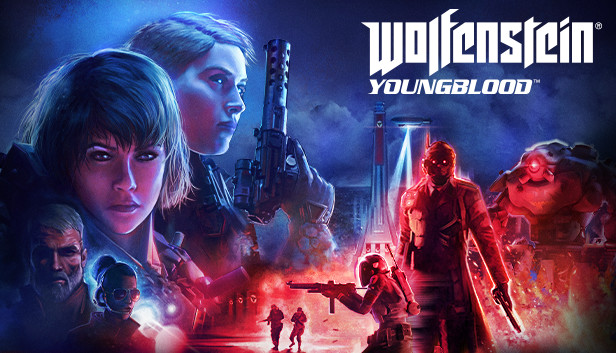
Wolfenstein: Youngblood is the first modern co-op Wolfenstein adventure.
Nineteen years after the events of Wolfenstein II, BJ Blazkowicz has disappeared after a mission into Nazi-occupied Paris. Now, after years of training from their battle-hardened father, BJ’s twin daughters, Jess and Soph Blazkowicz, are forced into action.
Team up with a friend or play alone. Level up, explore, and complete missions to unlock new abilities, weapons, gadgets, cosmetics, and more to complement your playstyle and customize your appearance.
Wolfenstein: Youngblood features the most open-ended Wolfenstein experience to date. From a new base of operations located deep in the heart of the Paris catacombs, plan how and when to attack and dismantle the Nazi regime.
Wolfenstein®: Youngblood™ is a fictional story set in an alternate universe in the 1980’s. Names, characters, organizations, locations and events are either imaginary or depicted in a fictionalized manner. The story and contents of this game are not intended to and should not be construed in any way to condone, glorify or endorse the beliefs, ideologies, events, actions, persons or behavior of the Nazi regime or to trivialize its war crimes, genocide and other crimes against humanity.
windows Minimum
OS: Win7, 8.1, or 10 (64-Bit versions)
Processor: AMD FX-8350/Ryzen 5 1400 or Intel Core i5-3570/i7-3770
Memory: 8 GB RAM
Graphics: Nvidia GTX 770 4GB (Current available GPU GTX1650) or AMD equivalent
Storage: 40 GB available space
windows Recommended
OS: Win7, 8.1, or 10 64-Bit
Processor: AMD FX-9370/Ryzen 5 1600X or Intel Core i7-4770
Memory: 16 GB RAM
Graphics: Nvidia GTX 1060 6GB (Current available GPU RTX2060) or AMD equivalent
Storage: 40 GB available space
To activate the game, you need a Steam Account
Login or register at the official Steam Website and download Steam client
Install and start application, login with your Account name and Password
Click the Games Menu.
Choose Activate a Product on Steam...
Follow the onscreen instructions to complete the process
After the successful code verification, go to the "MY GAMES" tab and start downloading.
News & Updates
2026-09-28
Are We Entering the Age of Gaming Leak Culture?
Once upon a time, a video game leak seemed nearly as an almost innocent accident, a gaming magazine published a screenshot too early or a store put a copy on a shelf before the scheduled release date…
As you probably already know, at YUPLAY we constantly strive to discover new and exciting ways to regularly promote the best video game titles directly to you. We do that quite often with our storewide discount campaigns, but we were looking for another way to do it without the need for a whole promotional event…
This game displays compatibility warnings when running on Steam Deck, but runs fine
This game's first-time setup requires an active Internet connection
This game does not default to external Bluetooth/USB controllers on Deck, and may require manually switching the active controller via the Quick Access Menu
All functionality is accessible when using the default controller configuration
This game shows Steam Deck controller icons
In-game interface text is legible on Steam Deck
This game's default graphics configuration performs well on Steam Deck