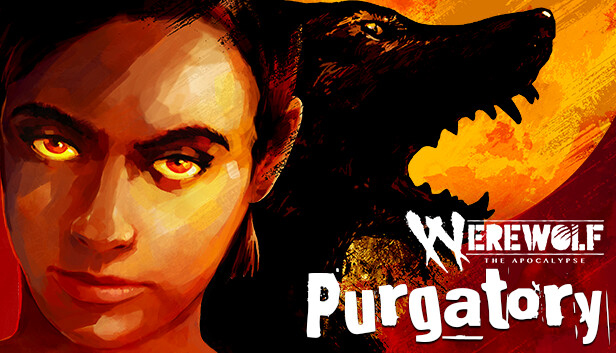
Battle monsters, investigate insidious conspiracies and explore the dark side of (in)human nature in Werewolf: The Apocalypse — Purgatory, a unique blend of dark fantasy thriller, visual novel and tabletop RPG set in the World of Darkness universe.
UNLEASH THE BEAST
Investigate murder, monsters and madness amidst Poland’s border crisis. Play as Samira, a refugee werewolf, as her search unearths dark secrets and forces her to confront her own tragedies.
SHAPE YOUR DESTINY
Dive into two investigative paths in the World of Darkness. Help Samira solve a chilling supernatural murder or uncover the secrets of a formidable werewolf pack. Each decision impacts her story, revealing new secrets and leading to different endings. Caught in a Purgatory of fantasy and reality, will your choices end in light… or darkness?
TABLETOP RPG MECHANICS
Navigate through the game using RPG mechanics, by balancing health, willpower, rage, skills, harano and inventory strategically, making every decision critical to your survival and progression.
LEGENDARY WORLD OF DARKNESS LORE
Werewolf: The Apocalypse — Purgatory adapts the new Fifth Edition corebook mechanics of the legendary tabletop RPG from the World of Darkness universe. Experience a classic role-playing session combined with the exciting new features of Werewolf: The Apocalypse Fifth Edition.
ENJOYABLE FOR NOVICES AND VETERANS ALIKE
Werewolf: The Apocalypse — Purgatory can be enjoyed by both World of Darkness veterans and newcomers looking for an accessible entry into this rich, acclaimed universe. While the game includes beloved characters and places from Werewolf: The Apocalypse — Heart of the Forest, you do not need to be familiar with either Heart of the Forest or the World of Darkness universe to enjoy Purgatory gameplay. New vocabulary is linked with pop-ups providing pronunciation tips, definitions and background lore.
* ACCESSIBILITY: You can choose accessible fonts, and adjust text time and paragraph delay.
Login or register at the official Steam Website and download Steam client
Install and start application, login with your Account name and Password
Click the Games Menu.
Choose Activate a Product on Steam...
Follow the onscreen instructions to complete the process
After the successful code verification, go to the "MY GAMES" tab and start downloading.
News & Updates
2026-06-11
Celebrate FIFA World Cup 2026 with YUPLAY
The FIFA World Cup 2026 is coming in hot this summer and while these coming weeks it is all going to be centered around the best game in the world of sports, we decided to bring you a dedicated YUPLAY giveaway to commemorate the occasion together! This promotional giveaway campaign invites all of our followers to try and predict the exact final scores of selected matches from the World Cup…
First V-Bucks, Now Steam Decks: Why Gaming is Getting More Expensive
Has gaming been steadily becoming more and more expensive lately? In the past months and quarters there has definitely been an increase in pricing in both the software and hardware departments of gaming and this trend has definitely stricken the market in more than a couple of ways. The industry has experienced a trend of gaming price increases as well as more expensive subscriptions…