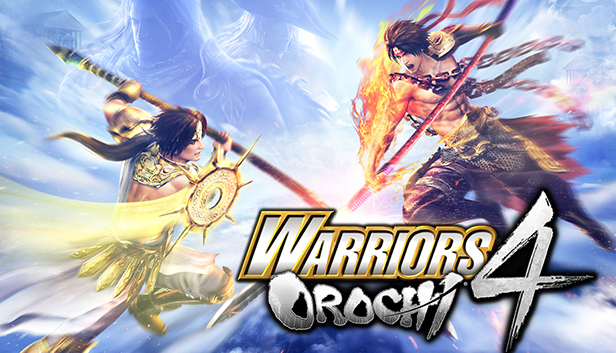
The definitive installment of the "WARRIORS OROCHI 4", featuring all the content of the WARRIORS OROCHI 4: The Ultimate Upgrade Pack, is available now.
About WARRIORS OROCHI 4:
Dream collaboration between characters of SAMURAI WARRIORS and DYNASTY WARRIORS
The largest roster of playable characters: 170 unique characters!
New Magic action and powered-up Musou attacks!
New unexpected and captivating characters!
About WARRIORS OROCHI 4: The Ultimate Upgrade Pack
The world of WARRIORS OROCHI 4 is expanded with the addition of new characters Gaia and Hades, who are here to shed some light on the questions left unanswered in the main story.
Familiar faces from Koei Tecmo games: Achilles, Joan of Arc and Ryu Hayabusa join the battle!
Enhanced Musou action, featuring the addition of the new Sacred Treasure exchange, and Musou Switch Combo systems!
New replayability elements: Infinity and Challenge modes!
Note:
This product features WARRIORS OROCHI 4 base game in a bundle with WARRIORS OROCHI 4: The Ultimate Upgrade Pack.
If you already own WARRIORS OROCHI 4, please purchase the WARRIORS OROCHI 4: The Ultimate Upgrade Pack separately instead.
Please note that WARRIORS OROCHI 4 Ultimate Deluxe Edition is also available for purchase separately.
windows Minimum
OS: Win 10(64bit required)
Processor: Intel Core I5 2400 or over
Memory: 6 GB RAM
Graphics: NVIDIA GeForce GTX 660 or over
Storage: 25 GB available space
Directx: Version 11
Network: Broadband Internet connection
Sound card: DirectX 11 or over
Additional notes: 640×480 pixel over, High Color
windows Recommended
OS: Win 10(64bit required)
Processor: Intel Core i7 3770 or over
Memory: 8 GB RAM
Graphics: NVIDIA GeForce GTX 960 or over
Storage: 25 GB available space
Directx: Version 11
Network: Broadband Internet connection
Sound card: DirectX 11 or over
Additional notes: 1920×1080 pixel, True Color
To activate the game, you need a Steam Account
Login or register at the official Steam Website and download Steam client
Install and start application, login with your Account name and Password
Click the Games Menu.
Choose Activate a Product on Steam...
Follow the onscreen instructions to complete the process
After the successful code verification, go to the "MY GAMES" tab and start downloading.
News & Updates
2026-07-20
Our Way of Saying Thank You
Great games are nothing without loyal gamers and we're grateful to have such an amazing community that supports our store. That’s why we’re launching our special “YUPLAY Is Feeling Generous” campaign as a way of saying “Thank you”. During this campaign, with every order over €30 you will receive a free 10% discount code that can be used during your next purchase…
The FIFA World Cup 2026 is coming in hot this summer and while these coming weeks it is all going to be centered around the best game in the world of sports, we decided to bring you a dedicated YUPLAY giveaway to commemorate the occasion together! This promotional giveaway campaign invites all of our followers to try and predict the exact final scores of selected matches from the World Cup…
This game does not default to external Bluetooth/USB controllers on Deck, and may require manually switching the active controller via the Quick Access Menu
All functionality is accessible when using the default controller configuration
This game shows Steam Deck controller icons
In-game interface text is legible on Steam Deck
This game's default graphics configuration performs well on Steam Deck