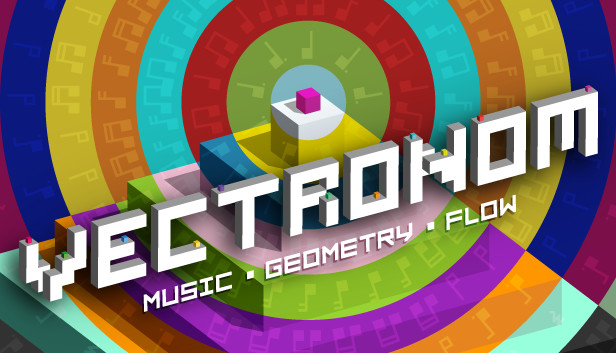
Feel like solving three-dimensional riddles to a frenetic electronic soundtrack? Let Vectronom inject its colorful madness into your life! It’s easy to get into the groove but can you stick to the beat?
A CAPTIVATING ATMOSPHERE
Welcome to the psychedelic world of Vectronom: experience waves of color and a pulsing geometric path that changes with the beat... All set to a hypnotic electronic soundtrack. There’s only one thing to do: turn up the volume and go with the flow.
SOLVE PUZZLES AT THE SPEED OF SOUND
Find your path through an ever-changing world, keeping the rhythm with every move you make. Think it sounds easy? The highly intuitive and addictive gameplay will keep you moving through daunting challenges... But how long will you last when the challenges get trickier and trickier? Better play to find out!
PLAY ON YOUR OWN OR WITH FRIENDS
Set off on a solo campaign with just your headphones for company, or invite a few friends to join the party! ♪ UNTZ! UNTZ! UNTZ! ♪
Co-produced and published by ARTE, Vectronom is the first video game from independent studio Ludopium. The prototype was developed in the Franco-German accelerator program Spielfabrique. The game has already won several awards, including “Best Game” at the Indie Arena Booth at Gamescom 2018 and GDC’s “Best in Play” 2019.
FEATURES
A challenging solo campaign that will completely entrance you
A drop-in, drop-out multiplayer mode that will hypnotize your friends
Colorful and atmospheric levels with a powerful electronic soundtrack
BONUS: the game is compatible with digital dance mats and MIDI instruments, so it won’t just be your fingertips showing off their best moves!
windows Minimum
OS: Windows 7 SP1+
Processor: SSE2 instruction set support
Memory: 4 GB RAM
Graphics: DX10 (shader model 4.0)
Storage: 800 MB available space
Directx: Version 10
macosx Minimum
OS: macOS 10.12+
Processor: SSE2 instruction set support
Memory: 4 GB RAM
Graphics: DX10 (shader model 4.0)
Storage: 800 MB available space
To activate the game, you need a Steam Account
Login or register at the official Steam Website and download Steam client
Install and start application, login with your Account name and Password
Click the Games Menu.
Choose Activate a Product on Steam...
Follow the onscreen instructions to complete the process
After the successful code verification, go to the "MY GAMES" tab and start downloading.
News & Updates
2026-08-21
The Biggest Games to Steal the Show at Gamescom 2026
Gamescom 2026 is coming at the end of this month with more than 900 exhibitors and we just wanted to showcase some of the upcoming games in the AAA titles category that you should definitely check out! So, be sure to go through our shortlisted future release hits in most gaming genre types, as we get ready to once again explore the world of Gamescom…
ACE COMBAT 8 Could Be the Series’ Most Ambitious Entry
The upcoming Ace Combat 8: Wings of Theve marks a completely new chapter in the popular flight shooting series, by effectively blending cinematic storytelling with the thrills of aerial combat like never before. Developed by Bandai Namco Aces Inc., the game will build upon the decades of established expertise in order to further boost the series’ strong sides…
Some functionality is not accessible when using the default controller configuration, requiring use of the touchscreen or virtual keyboard, or a community configuration
This game sometimes shows mouse, keyboard, or non-Steam-Deck controller icons
In-game interface text is legible on Steam Deck
This game's default graphics configuration performs well on Steam Deck