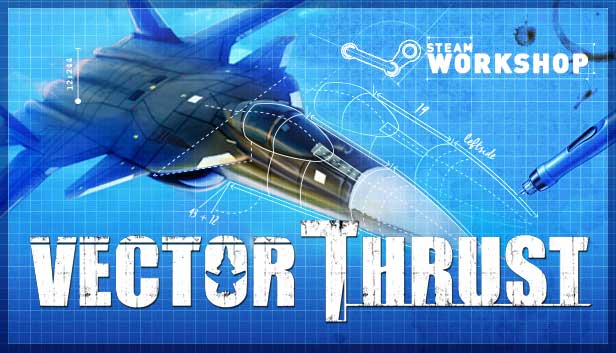
Vector Thrust is a fast-paced action-arcade flight simulator with a unique cel shaded art style for PC. With an extensive variety of single and multiplayer game modes, like the unpredictable and vicious Quick Action, a customizable Skirmish Mode, and multiple immersive story-based campaigns, Vector Thrust aims to please both players wanting to get straight into the sky, and those who love a flexible, diverse and customizable gaming experience.
Vector Thrust gives the player full power over the game to alter any aspect they choose, ranging from simple tweaks to full-blown modifications. Adding user-made skins, changing unit performance and parameters or even complete battle scenarios is easy and open to anyone. With fully fleshed out Map, Mission and Campaign editors, Vector Thrust boasts unlimited expandability and adaptability.
Advanced tactical AI that actively analyses and responds to a dynamic battlefield, as well as over 200 fully playable aircraft (through various iterations of over 40 aircraft models) and even more naval and ground units that all work to complete their objectives in different ways, Vector Thrust offers missions that are never played the same way twice.
Features:
Stay engaged from dawn until dusk and beyond with multiple game modes.
Keep coming back for more with multiple missions via a series of campaigns.
Unlock over 200 aircraft through a simple yet competitive Challenge Mode.
Pit yourself against advanced tactical AI that responds to the world around it.
Clash against titanic aerial fortresses and super weapons.
Duel with a myriad of Ace fighter squadrons, each with their own unique combat strategies.
Modify your game with easy, simple modding tools and share your creations with others.
windows Minimum
OS: Windows XP SP3, Windows Vista SP2, Windows 7, Windows 8
Processor: 1 Ghz
Memory: 1 GB RAM
Graphics: 128 MB DirectX®–compliant, Shader 2.0–enabled video card
Storage: 3 GB available space
Directx: Version 9.0c
Network: Broadband Internet connection
windows Recommended
OS: Windows XP SP3, Windows Vista SP2, Windows 7, Windows 8
Processor: 3 Ghz Dual Core
Memory: 4 GB RAM
Graphics: 512 MB DirectX®–compliant, Shader 3.0–enabled video card
Storage: 3 GB available space
Directx: Version 9.0c
Network: Broadband Internet connection
To activate the game, you need a Steam Account
Login or register at the official Steam Website and download Steam client
Install and start application, login with your Account name and Password
Click the Games Menu.
Choose Activate a Product on Steam...
Follow the onscreen instructions to complete the process
After the successful code verification, go to the "MY GAMES" tab and start downloading.
News & Updates
2026-06-11
Celebrate FIFA World Cup 2026 with YUPLAY
The FIFA World Cup 2026 is coming in hot this summer and while these coming weeks it is all going to be centered around the best game in the world of sports, we decided to bring you a dedicated YUPLAY giveaway to commemorate the occasion together! This promotional giveaway campaign invites all of our followers to try and predict the exact final scores of selected matches from the World Cup…
First V-Bucks, Now Steam Decks: Why Gaming is Getting More Expensive
Has gaming been steadily becoming more and more expensive lately? In the past months and quarters there has definitely been an increase in pricing in both the software and hardware departments of gaming and this trend has definitely stricken the market in more than a couple of ways. The industry has experienced a trend of gaming price increases as well as more expensive subscriptions…