This content requires the base game in order to play:Tropico 5
Game Description
System Requirements
Activation Details
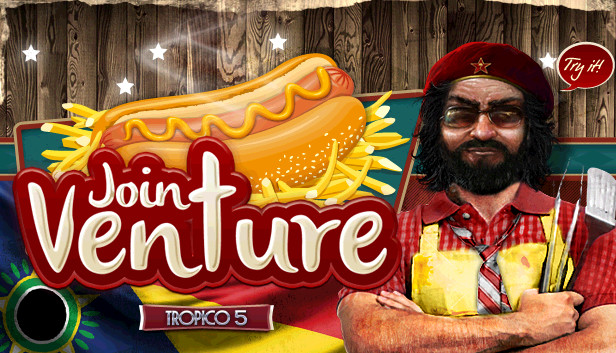
El Presidente is selling out. It’s time for Tropico to start playing in the major league of international franchises. Start by inviting investors and constructing a chain of Fast Food Restaurants all across the island. Do you have the guts to beat the Slow Food competition?
New standalone scenario: “Joint Venture” – Beat the Slow Food competition
New building: Fast Food Joint – Provides entertainment for citizens and tourists
New dynasty avatar accessory: Become a walking act with the McWig
New sandbox map: Punta de Refugio
New music track and additional voice recordings
windows Minimum
OS: Windows Vista SP2, Windows 7, Windows 8
Processor: 2 GHz Dual Core CPU
Memory: 4 GB RAM
Graphics: GeForce 400 or higher, AMD Radeon HD 4000 or higher, Intel HD 4000 or higher (DirectX 11 hardware support required)
Storage: 4 GB available space
Directx: Version 11
Sound card: DirectX compatible
windows Recommended
OS: Windows 7 (64 bit), Windows 8 (64 bit)
Processor: 2.5 GHz Quad Core CPU
Memory: 8 GB RAM
Graphics: GeForce 500 or higher, AMD Radeon HD 5000 or higher
macosx Minimum
OS: OSX 10.9
Processor: 2 GHz Dual Core CPU
Memory: 4 GB RAM
Graphics: GeForce 400 or higher, AMD Radeon HD 4000 or higher, Intel HD 4000 or higher
Storage: 4 GB available space
macosx Recommended
Processor: 2.5 GHz Quad Core CPU
Memory: 8 GB RAM
Graphics: GeForce 500 or higher, AMD Radeon HD 5000 or higher
linux Minimum
OS: Ubuntu/SteamOS (latest)
Processor: 2 GHz Dual Core CPU
Memory: 4 GB RAM
Graphics: GeForce 400 or higher, AMD Radeon HD 4000 or higher, Intel HD 4000 or higher
Storage: 4 GB available space
linux Recommended
Processor: 2.5 GHz Quad Core CPU
Memory: 8 GB RAM
Graphics: GeForce 500 or higher, AMD Radeon HD 5000 or higher
To activate the game, you need a Steam Account
Login or register at the official Steam Website and download Steam client
Install and start application, login with your Account name and Password
Click the Games Menu.
Choose Activate a Product on Steam...
Follow the onscreen instructions to complete the process
After the successful code verification, go to the "MY GAMES" tab and start downloading.
News & Updates
2026-10-23
BOO! Giveaway - Win a Game of Your Choice
Make a purchase of any amount between 23.10.2026 15:00 CET and 28.10.2026 15:00 CET, submit your Order ID in our Gleam and get a chance to win a FREE GAME (up to 50€).…