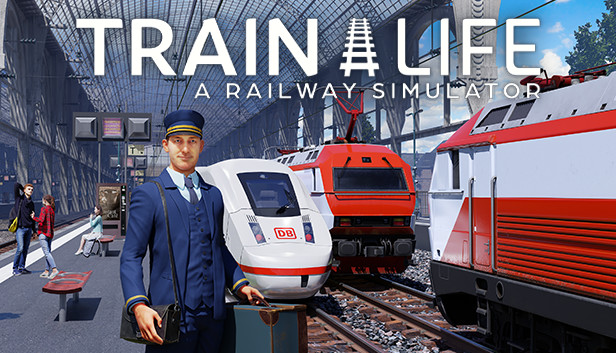
For the first time in a railway simulator, you are the driver and the company manager!
TAKE THE CONTROLS OF YOUR TRAIN AND TRAVEL EUROPE
Drive your passengers or goods across 10 countries and explore the countryside, towns, forests and mountains of Europe from your cab. Each locomotive has its own characteristics (power, braking, etc.), which you need to learn to control them expertly, while following the railway signs and adapting to the weather conditions.
BECOME A TRUE RAILWAY ENTREPRENEUR
As well as driving trains, you need to operate a successful company. Create your own company; buy and maintain your trains; hire conductors and give them new contracts; explore new routes; and optimize your Passenger and Freight activities. Make the right choices to earn money and grow your business!
KEY FEATURES
Drive faithfully reproduced iconic trains, such as the ICE 3, ICE 4 and NEWAG Griffin
Create and customize your own trains, from their outer appearance to your cab interior
Manage your company: hire conductors, choose contracts, build your network, maintain your locomotives to prevent breakdowns and emergency repairs
Travel 10,000 kilometres of track through the towns and countrysides of Eastern Europe, Western Europe and the Alps region
Visit a wide range of true-to-life stations, such as Berlin Central Station and Zurich Main Station
Follow the railway signage while adapting to the switches and managing speed, track changes, braking distances, station arrivals, and the opening and closing of doors
Handle unexpected situations, such as a tree on the line, snow build-up on the tracks, or another train on your track
Adapt your driving to the weather conditions and the time of day to prevent accidents, day and night, through downpours and blizzards!
Graphics: NVIDIA GeForce GTX 970 or AMD Radeon RX 480 with 4 GB VRAM or more
Directx: Version 10
Additional notes: Please note that these informations aren't final and may be subject to change until the launch of the game.
To activate the game, you need a Steam Account
Login or register at the official Steam Website and download Steam client
Install and start application, login with your Account name and Password
Click the Games Menu.
Choose Activate a Product on Steam...
Follow the onscreen instructions to complete the process
After the successful code verification, go to the "MY GAMES" tab and start downloading.
News & Updates
2026-10-23
BOO! Giveaway - Win a Game of Your Choice
Make a purchase of any amount between 23.10.2026 15:00 CET and 28.10.2026 15:00 CET, submit your Order ID in our Gleam and get a chance to win a FREE GAME (up to 50€).…
Entering some text requires manually invoking the on-screen keyboard
Some in-game text is small and may be difficult to read
This game requires manual configuration of graphics settings to perform well on Steam Deck
This game does not default to external Bluetooth/USB controllers on Deck, and may require manually switching the active controller via the Quick Access Menu
All functionality is accessible when using the default controller configuration