This content requires the base game in order to play:The Sims 4
Game Description
System Requirements
Activation Details
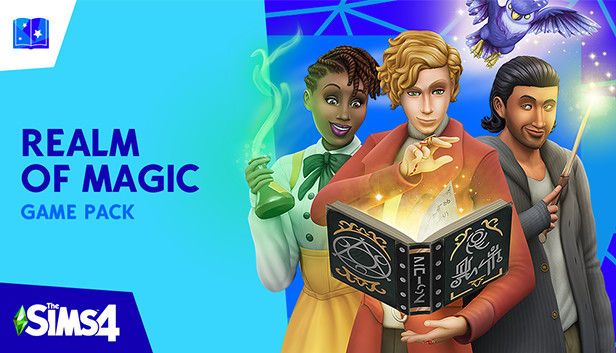
Explore a supernatural world and master the art of wizardry in The Sims™ 4 Realm of Magic.* This countryside town may look and feel like other neighborhoods, but once the secret portal is unlocked, the true magic begins. Potions, wands, and even a floating world will charm your Sim, but beware of spells gone wrong! Learn the craft of wizardry, summon a familiar for protection, and immerse yourself in this spellbinding realm.
Key Features:
Discover the neighborhood — An unreal world awaits your Sim, and when you stumble upon the secret portal there are mystical discoveries at every turn. Interact with familiars, cast spells on Sims around you, and concoct potions for friends and enemies.
Learn the craft — Study up on classic teachings, learn from sorcerous mentors, and become a Spellcaster by completing a quest. Collect and cast spells to make Sims fight, conjure food, or even turn others into objects. Create drinkable potions to make Sims fall in love, remove unwanted curses, or live forever!
Get real familiar — An ethereal familiar — or protector — will help your Sim become the Spellcaster they were destined to be. Summon a dragon, a fairy, or the familiar that best suits your Sim’s personality as a personal guard and give it a creative name.
Dress for supernatural success — Get in the spirit of sorcery with outfits that suit your Sim. Over-the-top attire is cauldron-ready, while a subdued ensemble is perfect for casting new spells. Collect wands and brooms to finish the look, then decorate rooms with enchanting objects.
windows Minimum
OS: 64 Bit Required. Windows 7 (SP1), Windows 8, Windows 8.1, or Windows 10
Processor: 1.8 GHz Intel Core 2 Duo, AMD Athlon 64 Dual-Core 4000+ or equivalent (For computers using built-in graphics chipsets, the game requires 2.0 GHz Intel Core 2 Duo, 2.0 GHz AMD Turion 64 X2 TL-62 or equivalent)
Memory: 2 GB RAM
Graphics: NVIDIA GeForce 6600 or better, ATI Radeon X1300 or better, Intel GMA X4500 or bette
Once the launcher is installed and has started, log in with your username/password
Once logged in, select ‘Library’ from the left Menu, then click on ‘+ Redeem Code’
A window will prompt you to enter the code you purchased on Yuplay.
EA will authenticate your code after a few minutes.
The game is now visible in your list.
Click it to start the download.
News & Updates
2026-09-02
Get 50 Extra YXP for a Limited Time
Ready to level up your YUPLAY Loyalty progress? The YXP Extra Event is back, giving you another chance to earn 50 bonus YXP with every qualifying order. Spend at least €10 between 02.09.2026 15:00 CET and 07.09.2026 15:00 CET and get an extra 50 YXP on top of your regular Loyalty Program rewards!
ACE COMBAT 8 Could Be the Series’ Most Ambitious Entry
The upcoming Ace Combat 8: Wings of Theve marks a completely new chapter in the popular flight shooting series, by effectively blending cinematic storytelling with the thrills of aerial combat like never before. Developed by Bandai Namco Aces Inc., the game will build upon the decades of established expertise in order to further boost the series’ strong sides…