This content requires the base game in order to play:The Sims 4
Game Description
System Requirements
Activation Details
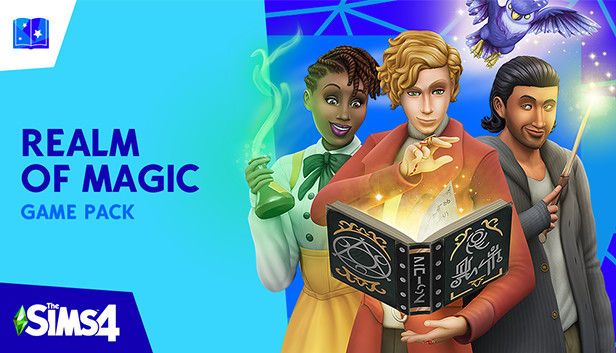
Explore a supernatural world and master the art of wizardry in The Sims™ 4 Realm of Magic.* This countryside town may look and feel like other neighborhoods, but once the secret portal is unlocked, the true magic begins. Potions, wands, and even a floating world will charm your Sim, but beware of spells gone wrong! Learn the craft of wizardry, summon a familiar for protection, and immerse yourself in this spellbinding realm.
Key Features:
Discover the neighborhood — An unreal world awaits your Sim, and when you stumble upon the secret portal there are mystical discoveries at every turn. Interact with familiars, cast spells on Sims around you, and concoct potions for friends and enemies.
Learn the craft — Study up on classic teachings, learn from sorcerous mentors, and become a Spellcaster by completing a quest. Collect and cast spells to make Sims fight, conjure food, or even turn others into objects. Create drinkable potions to make Sims fall in love, remove unwanted curses, or live forever!
Get real familiar — An ethereal familiar — or protector — will help your Sim become the Spellcaster they were destined to be. Summon a dragon, a fairy, or the familiar that best suits your Sim’s personality as a personal guard and give it a creative name.
Dress for supernatural success — Get in the spirit of sorcery with outfits that suit your Sim. Over-the-top attire is cauldron-ready, while a subdued ensemble is perfect for casting new spells. Collect wands and brooms to finish the look, then decorate rooms with enchanting objects.
windows Minimum
OS: 64 Bit Required. Windows 7 (SP1), Windows 8, Windows 8.1, or Windows 10
Processor: 1.8 GHz Intel Core 2 Duo, AMD Athlon 64 Dual-Core 4000+ or equivalent (For computers using built-in graphics chipsets, the game requires 2.0 GHz Intel Core 2 Duo, 2.0 GHz AMD Turion 64 X2 TL-62 or equivalent)
Memory: 2 GB RAM
Graphics: NVIDIA GeForce 6600 or better, ATI Radeon X1300 or better, Intel GMA X4500 or bette
Once the launcher is installed and has started, log in with your username/password
Once logged in, select ‘Library’ from the left Menu, then click on ‘+ Redeem Code’
A window will prompt you to enter the code you purchased on Yuplay.
EA will authenticate your code after a few minutes.
The game is now visible in your list.
Click it to start the download.
News & Updates
2026-03-30
Join the Easter Raid Party and Win a Free Game
The Easter season is here and since we like this part of the year so much, we have made sure to have prepared a special YUPLAY promotional campaign for those of you that are ready to go into the Raid Party and grab a FREE gaming title. All you have to do is make an order above 20€ between 02.04.2026 15:00 CET and 08.04.2026 15:00 CET, and you will get a FREE game as ab Easter present from us…
Early Spring season has definitely delivered on some exciting updates, game announcements, and promising releases to be on the lookout for until the end of this year. So, let’s immediately have a better look at some of the more outstanding news that happened on the gaming scene during the month of March 2026 that we decided to cover for you…