This content requires the base game in order to play:The Sims 4
Game Description
System Requirements
Activation Details
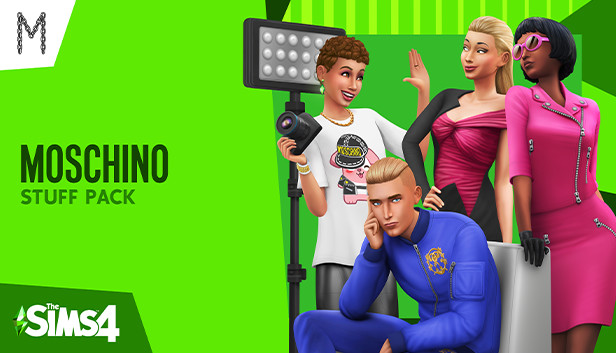
Moschino and creative director Jeremy Scott celebrate the launch of the latest Capsule Collection with pieces inspired by The Sims™ and their own ready-to-wear items, including styles from past collections. Dress Sims in fashion-forward looks they can rock anywhere, and capture their bold expressions when you venture into a freelance fashion photography career.
Moschino meets The Sims — Show your love of fashion by dressing your Sims in the latest Capsule Collection inspired by The Sims, or choose clothing styles from iconic Moschino collections.
Take on a flashy career — As a freelance fashion photographer, your Sim will grow their career with fabulous opportunities. Learn how to curate a collection and select the perfect subject to shoot, then find the right angles to accentuate bold, stylized looks. Grow your Sim’s career as a freelance fashion photographer, live a flexible lifestyle, and get inspired to shoot for the next big campaign or cover!
Have a studio session — Bring your own studio to life, where the spotlight is on and so is the pressure. Accessorize with pictures, new furniture and décor, and personalized touches for an inspiring space to photograph your muse.
windows Minimum
OS: 64 Bit Required. Windows 7 (SP1), Windows 8, Windows 8.1, or Windows 10
Processor: 1.8 GHz Intel Core 2 Duo, AMD Athlon 64 Dual-Core 4000+ or equivalent (For computers using built-in graphics chipsets, the game requires 2.0 GHz Intel Core 2 Duo, 2.0 GHz AMD Turion 64 X2 TL-62 or equivalent)
Memory: 4 GB RAM
Storage: 3 GB available space
Directx: Version 9.0c
Network: Broadband Internet connection
Additional notes: At least 3 GB of free space (15 GB if installing with The Sims™ 4) with at least 1 GB additional space for custom content and saved games
Once the launcher is installed and has started, log in with your username/password
Once logged in, select ‘Library’ from the left Menu, then click on ‘+ Redeem Code’
A window will prompt you to enter the code you purchased on Yuplay.
EA will authenticate your code after a few minutes.
The game is now visible in your list.
Click it to start the download.
News & Updates
2026-10-23
BOO! Giveaway - Win a Game of Your Choice
Make a purchase of any amount between 23.10.2026 15:00 CET and 28.10.2026 15:00 CET, submit your Order ID in our Gleam and get a chance to win a FREE GAME (up to 50€).…