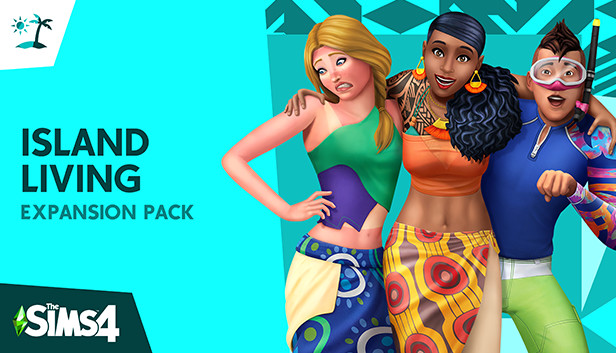
Explore a breezy world drenched in sun, sand, and endless fun as your Sims make their own paradise in The Sims™ 4 Island Living. Whether they contribute to the conservation effort or prefer living off the grid, your Sims can take the plunge and enjoy what this unique culture has to offer. Embrace traditional events, wear native clothing styles, or sip on some kava. It’s all part of Sulani island life.
Key Features:
Sit back and relax — Welcome to Sulani, where the sun shines bright and the nights are totally chill. Set sail on the glistening water in your island canoe, swim to your heart’s content, and explore the scenery on a watercraft. Build a spectacular sand castle, catch some rays, and even meet a mermaid!
Pitch in or help out — Become a conservationist, clean up the beaches, and watch your Sims’ impact bloom all over the island. Take to the waves in a fishing or diving career, or become a lifeguard to keep the locals safe under the sun. No career? No problem! Sims can do odd jobs or fish for their next meal.
Engage in local culture — Tradition runs deep on Sulani, and your Sims get to experience everything it has to offer. Immerse Sims in their newfound lifestyle by attending a pit barbecue event, learning about local folklore, tasting tropical delicacies, and chatting with ancestors from the island.
Rock the island vibes — Dress Sims in tropical garb inspired by sun, sand, and waves. Or gear up for water activities like snorkeling and swimming. Decorate a rustic oasis with home objects, and unwind at the tiki bar. Everything is chill (except for the occasional sunburn) when it’s island living.
windows Minimum
OS: 64 Bit Required. Windows 7 (SP1), Windows 8, Windows 8.1, or Windows 10
Processor: 1.8 GHz Intel Core 2 Duo, AMD Athlon 64 Dual-Core 4000+ or equivalent (For computers using built-in graphics chipsets, the game requires 2.0 GHz Intel Core 2 Duo, 2.0 GHz AMD Turion 64 X2 TL-62 or equivalent)
Memory: 4 GB RAM
Graphics: NVIDIA GeForce 6600 or better, ATI Radeon X1300 or better, Intel GMA X4500 or better.
Once the launcher is installed and has started, log in with your username/password
Once logged in, select ‘Library’ from the left Menu, then click on ‘+ Redeem Code’
A window will prompt you to enter the code you purchased on Yuplay.
EA will authenticate your code after a few minutes.
The game is now visible in your list.
Click it to start the download.
News & Updates
2026-09-02
Get 50 Extra YXP for a Limited Time
Ready to level up your YUPLAY Loyalty progress? The YXP Extra Event is back, giving you another chance to earn 50 bonus YXP with every qualifying order. Spend at least €10 between 02.09.2026 15:00 CET and 07.09.2026 15:00 CET and get an extra 50 YXP on top of your regular Loyalty Program rewards!
ACE COMBAT 8 Could Be the Series’ Most Ambitious Entry
The upcoming Ace Combat 8: Wings of Theve marks a completely new chapter in the popular flight shooting series, by effectively blending cinematic storytelling with the thrills of aerial combat like never before. Developed by Bandai Namco Aces Inc., the game will build upon the decades of established expertise in order to further boost the series’ strong sides…