Can be activated in:
Åland Islands, Albania, Algeria, Andorra, Angola, Anguilla, Antigua and Barbuda, Argentina, Armenia, Aruba, Australia, Austria, Azerbaijan, Bahrain, Bangladesh, Barbados, Belarus, Belgium, Belize, Benin, Bermuda, Bhutan, Bolivia, plurinational state of, Bonaire, Sint Eustatius and Saba, Bosnia and Herzegovina, Bouvet Island, Brazil, British Indian Ocean Territory, Brunei Darussalam, Bulgaria, Burkina Faso, Burma, Burundi, Cambodia, Cameroon, Canada, Cape Verde, Cayman Islands, Central African Republic, Chad, Chile, China, Christmas Island, Cocos (Keeling) Islands, Colombia, Comoros, Congo, Congo, Democratic Republic of the, Cook Islands, Costa Rica, Cote d'Ivoire, Croatia, Cuba, Curaçao, Cyprus, Czech Republic, Denmark, Djibouti, Dominica, Dominican Republic, Ecuador, Egypt, El Salvador, Equatorial Guinea, Eritrea, Estonia, Falkland Islands (Malvinas), Faroe Islands, Fiji, Finland, France, French Guiana, French Polynesia, French Southern Territories, Gabon, Gambia, Georgia, Germany, Gibraltar, Greece, Greenland, Grenada, Guadeloupe, Guatemala, Guernsey, Guinea, Guinea-Bissau, Guyana, Haiti, Heard Island and McDonald Islands, Holy See (Vatican City State), Honduras, Hong Kong, Hungary, Iceland, India, Indonesia, Ireland, Isle of Man, Israel, Italy, Jamaica, Japan, Jersey, Jordan, Kazakhstan, Kenya, Kiribati, Korea, Republic of, Kuwait, Kyrgyzstan, Lao People's Democratic Republic, Latvia, Lebanon, Lesotho, Liberia, Liechtenstein, Lithuania, Luxembourg, Macao, Madagascar, Malawi, Malaysia, Maldives, Mali, Malta, Marshall Islands, Martinique, Mauritania, Mauritius, Mayotte, Mexico, Micronesia, Federated States of, Moldova, Monaco, Mongolia, Montenegro, Montserrat, Morocco, Mozambique, Namibia, Nauru, Nepal, Netherlands, New Caledonia, New Zealand, Nicaragua, Niger, Niue, Norfolk Island, Northern Mariana Islands, Norway, Oman, Palau, Palestinian Territory, Occupied, Papua New Guinea, Paraguay, Peru, Philippines, Pitcairn, Poland, Portugal, Qatar, Republic of North Macedonia, Reunion, Romania, Russian Federation, Rwanda, Saint Barthélemy, Saint Helena, Ascension And Tristan Da Cunha, Saint Kitts and Nevis, Saint Lucia, Saint Martin (French Part), Saint Pierre and Miquelon, Saint Vincent and the Grenadines, San Marino, Sao Tome and Principe, Senegal, Serbia, Seychelles, Sierra Leone, Singapore, Sint Maarten, Slovakia, Slovenia, Solomon Islands, Somalia, South Africa, South Georgia and the South Sandwich Islands, South Sudan, Spain, Sudan, Suriname, Svalbard and Jan Mayen, Swaziland, Sweden, Switzerland, Taiwan, Province of China, Tajikistan, Tanzania, United Republic Of, Thailand, Timor-Leste, Togo, Tokelau, Tonga, Turkey, Turkmenistan, Turks and Caicos Islands, Tuvalu, Uganda, Ukraine, United Arab Emirates, United Kingdom, United States, United States Minor Outlying Islands, Uruguay, Uzbekistan, Vanuatu, Venezuela, Vietnam, Virgin Islands, British, Wallis and Futuna, Western Sahara, Zambia, Zimbabwe
This content requires the base game in order to play:
The Sims 4
Game Description
System Requirements
Activation Details
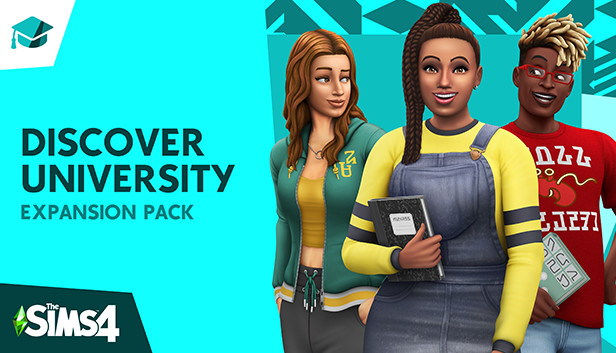
Explore all the experiences college has to offer. Take classes that set your Sims up for success in engineering, education or law careers. Discover robotics and ping-pong, or make some mischief pulling pranks against the rival school. Study hard, sleep in and high-five the school mascot – just make sure to keep those grades up!
Settle into School – Begin a new chapter for your Sim at the historical University of Britechester or the modern Foxbury Institute. Live in a dorm room or off-campus, explore Britechester on a bicycle, spend time in the student commons and have a study session at the library. Cheer on the student body at a school spirit event, and wear school colors to show your Sim’s pride.
Stay Classy – Enroll in a University and choose classes that pique your interest: biology, computer science, art history or even villainy. Attend a lecture or work on term papers and presentations – the more your Sim learns, the more successful they’ll be. Going to classes or blowing them off will affect your Sim’s grades, so time management is a must.
Meet, Mingle and Explore – How your Sim embraces college life is up to you. Study all night to finish homework or chill out and sleep in. With activities like juice pong, juggling a soccer ball and hanging out with roommates, taking a break has never been so fun! Join school organizations like robotics, debate, art or even a mysterious secret society. As the year progresses, Sims become their best selves and discover who they’re meant to be.
Express Your Campus Style – Make your Sim’s space cozy with dorm room décor that reflects their personality. Develop their style in any way you choose – whether wearing late-for-class sweatpants or their best-self outfits, there’s always a way to show school spirit or impress a classmate.
windows Minimum
OS: 64 Bit Required. Windows 7 (SP1), Windows 8, Windows 8.1, or Windows 10
Processor: 1.8 GHz Intel Core 2 Duo, AMD Athlon 64 Dual-Core 4000+ or equivalent (For computers using built-in graphics chipsets, the game requires 2.0 GHz Intel Core 2 Duo, 2.0 GHz AMD Turion 64 X2 TL-62 or equivalent)
Once the launcher is installed and has started, log in with your username/password
Once logged in, select ‘Library’ from the left Menu, then click on ‘+ Redeem Code’
A window will prompt you to enter the code you purchased on Yuplay.
EA will authenticate your code after a few minutes.
The game is now visible in your list.
Click it to start the download.
News & Updates
2025-06-30
Monthly Recap – June Edition
We are already at the end of the second quarter for the year and the summer is already giving us so many updates and cool information on a lot of gaming titles and events. We tried our best to gather some of the more exciting pieces, although it is quite difficult to contain everything in just one single post as there is simply so much to talk of. We kick-off things with as many of the highlights from one of the most important gaming events of the year…
The summer heat is already upon us and the rising temperatures are coming ahead, but here at YUPLAY prices are going in the opposite direction and are dropping down like mad! Furthermore, we want to deliver even more value to our happy customers and for every purchase made during the promotional period (between 27.06.2025 7:30 CET and 02.07.2025 15:00 CET) that is above 12€ you will score a free game as a gift from us!