This content requires the base game in order to play:
The Metronomicon
Game Description
System Requirements
Activation Details
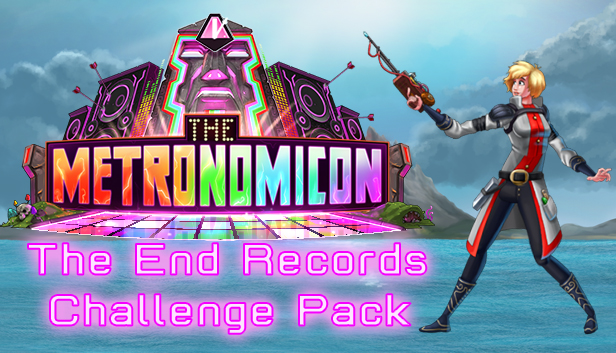
The End of the world is coming. Time to dance then, no?
Let’s celebrate with our first label-specific challenge pack!
Courtesy of The End Records, three great tunes to burn into yo’ brain.
Three new tunes, three new challenges, and three new awesome pieces of gear!
Try not to miss a beat to Jutty Ranx’s “Keep It Moving”.
Your streak is the only thing keeping the powerful enemies at bay!
Then, snag a chainmail tutu to keep that streak-based power at your side!
Jam out to Findlay’s “Electric Bones” to wage a battle against your very own Pierce, that roguish rogue.
Earn an item right up his alley which forces crystals to drop from every kill.
Great for unlocking DJ Room songs faster, but also… hmmm… passives.
Finally, Jutty Ranx’s “Concentrate” piles on the debuffs with abandon.
They just won’t come off!
Why would you want that power as an upgrade?! There must be some good use..?
All three songs are playable in Story, Freeplay, and Arena modes!
Go!
Graphics: Integrated video (Intel HD 4000 or later), 1 GB shared memory
Storage: 500 MB available space
Sound card: One that allows sound to come out of a sound maker
windows Recommended
Additional notes: You can use the following controllers for this game; M/K, Xbox 360 Controller, Xbox One Controller, PS3/PS4 controllers, PS3/4 Rock Band Guitars, XB Rock Band Guitars, our Custom "The Metronomicon" Dance Pad, plus the majority of USB Dance Pads (sadly we
macosx Minimum
OS: OS X 10.11 or later
Processor: Core i5
Memory: 2 GB RAM
Graphics: Integrated video (Intel HD 4000 or later), 1 GB shared memory
Storage: 500 MB available space
Sound card: One that allows sound to come out of a sound maker
macosx Recommended
Additional notes: You can use the following controllers for this game; M/K, Xbox 360 Controller, Xbox One Controller, PS3/PS4 controllers, PS3/4 Rock Band Guitars, XB Rock Band Guitars, our Custom "The Metronomicon" Dance Pad, plus the majority of USB Dance Pads (sadly we
To activate the game, you need a Steam Account
Login or register at the official Steam Website and download Steam client
Install and start application, login with your Account name and Password
Click the Games Menu.
Choose Activate a Product on Steam...
Follow the onscreen instructions to complete the process
After the successful code verification, go to the "MY GAMES" tab and start downloading.
News & Updates
2026-11-01
Dawn of War IV: Everything You Need to Know Before the Battle Begins
Warhammer 40,000: Dawn of War IV goes back hard to the roots of the RTS series with some very exciting strategy gameplay…