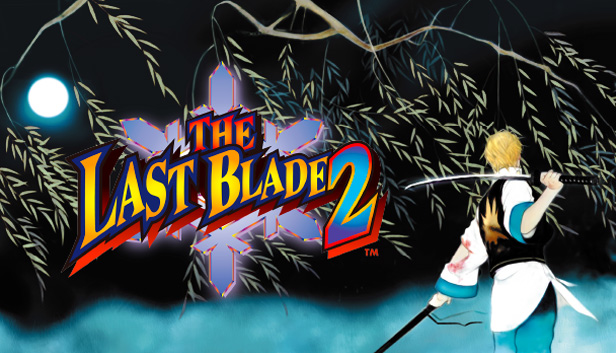
THE LAST BLADE 2 is SNK’s legendary weapons-based fighting game which was originally released in 1998 on SNK’s NEOGEO game system as a sequel to its predecessor THE LAST BLADE.
This widely revered NEOGEO masterpiece is finally available on STEAM! Not only a port of the original game, the STEAM version of THE LAST BLADE 2 will allow players from across the globe to fight against each other online / locally in epic battles in online Multiplayer Mode.
Discover (or rediscover) THE LAST BLADE 2, which is still considered as the pinnacle of weapons-based fighting games around the world!
GAME FEATURES
An epic storyline during the twilight period of the SAMURAI!
“Hell’s Gate”, the boundary between life and death. Four “Mythological Symbols" are about to fight to the death against an ultimate spirit awakened from the netherworld, in order to send him straight to "Hell's Gate"! Taking place during the end of the Edo-period, a truly mystical and spectacular story is about to unfold…
18 characters who are directed by their destiny cross swords!
In addition to 12 combatants (including boss character “Kagami” from the series’ predecessor), 4 new characters and 2 hidden ones join the gorgeous roster of 18 playable characters. Choose the character and fighting style which suits you the most, and prepare for an epic battle to seal “Hell’s Gate”!
Enjoyable strategies and a unique game system / game mechanics!
Select your favorite sword attack type among the “POWER”, “SPEED”, and “EXTREME” modes. Master the ”REPEL” mechanic to counter your opponent’s attacks, and when the right time comes, activate the “SUPER SECRET SLASH”, “HIDDEN SECRET SLASH” and “ENIGMA FRENZY-ATTACK” ultimate techniques in order to change the outcome of the battle!
Graphics: Onboard graphics chipset with 256MB video RAM
Storage: 200 MB available space
Directx: Version 9.0c
Sound card: DirectSound
To activate the game, you need a Steam Account
Login or register at the official Steam Website and download Steam client
Install and start application, login with your Account name and Password
Click the Games Menu.
Choose Activate a Product on Steam...
Follow the onscreen instructions to complete the process
After the successful code verification, go to the "MY GAMES" tab and start downloading.
News & Updates
2026-07-20
Our Way of Saying Thank You
Great games are nothing without loyal gamers and we're grateful to have such an amazing community that supports our store. That’s why we’re launching our special “YUPLAY Is Feeling Generous” campaign as a way of saying “Thank you”. During this campaign, with every order over €30 you will receive a free 10% discount code that can be used during your next purchase…
The FIFA World Cup 2026 is coming in hot this summer and while these coming weeks it is all going to be centered around the best game in the world of sports, we decided to bring you a dedicated YUPLAY giveaway to commemorate the occasion together! This promotional giveaway campaign invites all of our followers to try and predict the exact final scores of selected matches from the World Cup…
This game does not default to external Bluetooth/USB controllers on Deck, and may require manually switching the active controller via the Quick Access Menu
All functionality is accessible when using the default controller configuration
This game shows Steam Deck controller icons
In-game interface text is legible on Steam Deck
This game's default graphics configuration performs well on Steam Deck