2026-10-23
BOO! Giveaway - Win a Game of Your Choice
Make a purchase of any amount between 23.10.2026 15:00 CET and 28.10.2026 15:00 CET, submit your Order ID in our Gleam and get a chance to win a FREE GAME (up to 50€).…



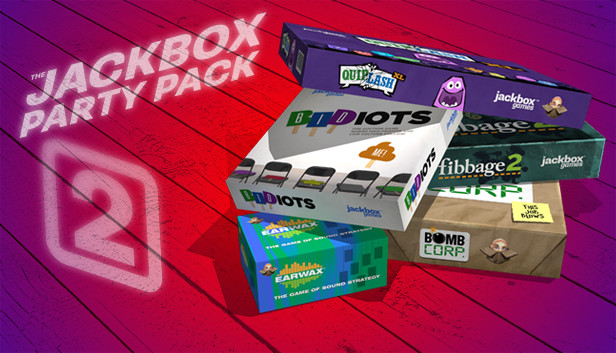
The sequel to the party game phenomenon The Jackbox Party Pack, featuring FIVE fresh, rib-tickling party games! Games include:
Fibbage 2 (2-8 players)
The runaway hit bluffing game with over 500 brand-new questions, more than 2x the original! Plus new features, like the deFIBrillator!
Earwax (3-8 players)
The hear-larious sound-effects game that will leave you up to your ears in laughter!
Cow moo? Huge explosion? Or tiny fart? Which to choose?
Bidiots (3-6 players)
The absurd art auction game where you draw right there on your phone or tablet. Outbid your opponents for weird art pieces – drawn by players themselves – and win this strangely competitive auction game! Don’t be a bidiot!
Quiplash XL (3-8 players)
The say-anything, gut-busting Quiplash XL, which includes everything in Quiplash, Quip Pack 1, AND over 100 brand-new prompts!
Bomb Corp. (1-4 players)
The bomb-defusing nailbiter of a party game! As interns at Bomb Corp., you must defuse random bombs in the office in order to keep your jobs. You’ll probably die, but it’ll be good work experience!
Players play using their phones, tablets, or even computers as controllers – making it the perfect easy-to-join party starter. No extra controllers needed! And, spectators can join and affect some games by playing as Audience members!
NOTE: This game is local play, but can be enjoyed over streams with remote players.
NOTE: These games are in English only.
It’s a game-night riot in a box… without the box!
How to Play Remotely
https://www.jackboxgames.com/remoteplay/
Players use any web-enabled device (like a smartphone or tablet) to join the game and play along. When playing with remote players, you can use a video conferencing tool like Zoom, Steam Broadcast, Google Hangouts, Discord, and more to connect with others! Just share your screen while on a call and make sure you look for prompts to share audio. Visit our Remote Play page for more tips and tutorials.