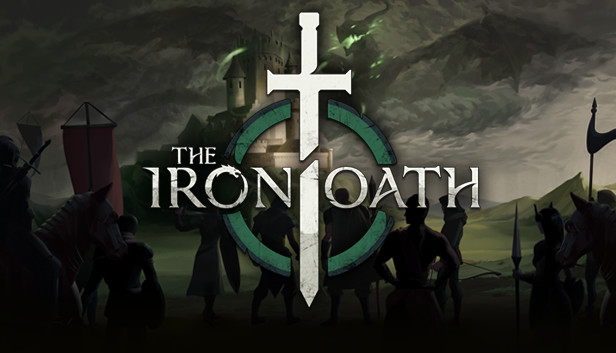
Command, endure, and prosper in The Iron Oath, a turn-based tactical RPG where the fate of your mercenary company rests on your decisions. As the leader of a band of soldiers-for-hire in the harsh realm of Caelum, you’ll need to hire recruits, manage your operations wisely, and embark on perilous missions in order to survive, thrive, and build your company's renown.
As the years progress, the world of Caelum evolves dynamically, opening up new storylines for you to discover and making each new playthrough unpredictable and unique. What fortunes await your company?
High-stakes tactical combat. Proper planning and execution is vital to your success. Deadly foes, traps, and destructible objects mean one misstep could be your party’s undoing.
The cold march of time. Years pass as you navigate the world. Your mercs will age, retire, and die over the decades, and your company—and strategy—will need to adapt to the shifting tides.
An ever-evolving overworld. Caelum is a sprawling, always changing realm. Cities fall and rise again as the Noble Houses vie for power, leading to new opportunities and unexpected perils.
Control your company’s destiny. Manage your guild’s roster, finances, and political relationships. Earn wealth and renown by completing contracts for Caelum’s vying factions, and invest in upgrading your organization.
Forge your team. An iron chain is only as strong as its weakest link. Assemble a well-rounded crew of warriors, rogues, and spellcasters. Build up their power, customize and complement their abilities, and become a force to be reckoned with.
Lead wisely, die foolishly.You’ll face difficult decisions, and the path you follow won't always be popular. Your choices bear consequences that will alter the fates of your mercs, your company, and all of Caelum.
windows Minimum
OS: Windows 7
Processor: Intel Core i5-650, 3.20 GHz or AMD Phenom II X4 965, 3.2 GHz
Memory: 6 GB RAM
Graphics: Nvidia GeForce GTX 460 or AMD Radeon HD 6870
Storage: 2 GB available space
Directx: Version 10
To activate the game, you need a Steam Account
Login or register at the official Steam Website and download Steam client
Install and start application, login with your Account name and Password
Click the Games Menu.
Choose Activate a Product on Steam...
Follow the onscreen instructions to complete the process
After the successful code verification, go to the "MY GAMES" tab and start downloading.
News & Updates
2026-03-16
Celebrate the Spring by Draining Yuplay’s Profit
Spring time always comes with a sense of freshness and revitalization, so we decided to take a risk make a special storewide promotion that would absolutely kill our profit (and probably get our boss angry). All you have to do to participate is make an order of at least 20€ between 17.03.2026 15:00 CET and 23.03.2026 15:00 CET, and you will get a FREE game coming straight out of our pockets…
Even though Friday the 13th is widely considered as an unlucky date, we at YUPLAY are trying to flip the script for that and turn it into a lucky day for you and this time is not an exception to the rule! We are delighted to announce our FRIDAY 13TH promo and you should absolutely read on the article in order to find out how to best take advantage of this campaign and turn your luck in the right direction for the occasion…
Some functionality is not accessible when using the default controller configuration, requiring use of the touchscreen or virtual keyboard, or a community configuration
This game sometimes shows mouse, keyboard, or non-Steam-Deck controller icons
Some in-game text is small and may be difficult to read
This game's default graphics configuration performs well on Steam Deck