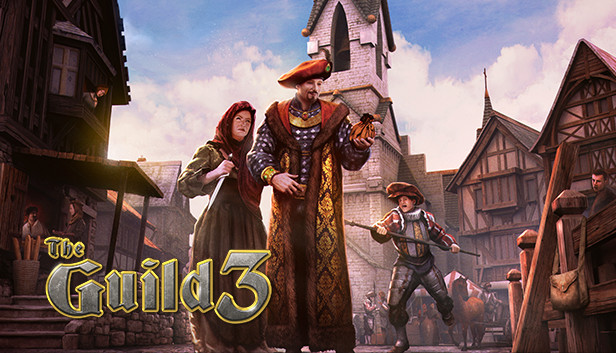
We find ourselves in middle Europe of the year 1400. The dark middle ages, once dominated through nobles and clergy, ends and a new era begins: the age of the free cities of trading and of the free mind!
In The Guild 3 you create a family dynasty which can last for centuries. While the world around you and your dynasty rearrange itself again and again - all non-player figures make their own decisions - you have to prove your skills in handicrafts and trading, at social occasion and finally in politics and in malicious intrigues.
The Guild 3 is a unique mixture of economic simulation, strategy game, historical life simulation and role playing game in real time 3D, with atmospheric voice recording and medieval soundtrack.
Guide your avatar and his or her family to acquire wealth and influence
Become an honest craftsman, trade, start romances, bribe officials or thow bombs and poison your enemies - it's up to you how you amass more and more power
Acquire titles, take positions in town council offices and join a guild
Ranging professions, a complex skill tree and many unlockable actions and bonuses
13 unique scenario maps based on authentic historical locations in Central and Northern Europe
Day and night cycle and seasons that influence game events
Play against AI dynasties or friends in multiplayer matches
OS: Windows 7, 8, Windows 10 (64 bit), Windows 11 (64 bit)
Processor: Intel Core i3 4000 series, AMD FX 6000 series
Memory: 8 GB RAM
Graphics: Dedicated GPU with 4 GB (GeForce GTX 970 or Radeon RX570)
Storage: 8 GB available space
Directx: Version 11
Sound card: DirectX compatible Sound card
windows Recommended
OS: Windows 7, 8, Windows 10 (64 bit), Windows 11 (64 bit)
Processor: Intel Core i7-4790, AMD FX-8350
Memory: 16 GB RAM
Graphics: Dedicated GPU with 8 GB (GeForce GTX 1050 Ti or Radeon RX570)
Storage: 8 GB available space
Directx: Version 11
Sound card: DirectX compatible Sound card
To activate the game, you need a Steam Account
Login or register at the official Steam Website and download Steam client
Install and start application, login with your Account name and Password
Click the Games Menu.
Choose Activate a Product on Steam...
Follow the onscreen instructions to complete the process
After the successful code verification, go to the "MY GAMES" tab and start downloading.
News & Updates
2026-03-30
Join the Easter Raid Party and Win a Free Game
The Easter season is here and since we like this part of the year so much, we have made sure to have prepared a special YUPLAY promotional campaign for those of you that are ready to go into the Raid Party and grab a FREE gaming title. All you have to do is make an order above 20€ between 02.04.2026 15:00 CET and 08.04.2026 15:00 CET, and you will get a FREE game as ab Easter present from us…
Early Spring season has definitely delivered on some exciting updates, game announcements, and promising releases to be on the lookout for until the end of this year. So, let’s immediately have a better look at some of the more outstanding news that happened on the gaming scene during the month of March 2026 that we decided to cover for you…
Some functionality is not accessible when using the default controller configuration, requiring use of the touchscreen or virtual keyboard, or a community configuration
This game sometimes shows mouse, keyboard, or non-Steam-Deck controller icons
Entering some text requires manually invoking the on-screen keyboard
Some in-game text is small and may be difficult to read
This game's default graphics configuration performs well on Steam Deck