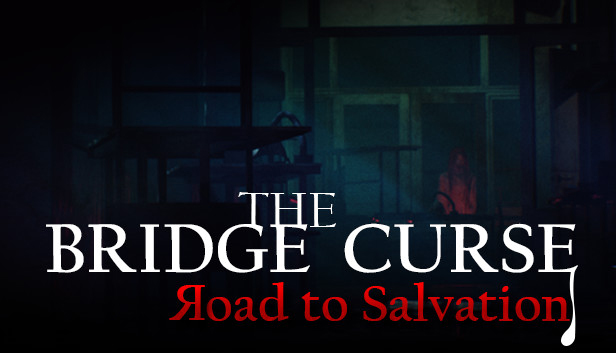
is a first-person atmospheric horror game with stealth-based gameplay. Out of 10 college horror tales from Taiwan, The Bridge Curse is one of the well-known supernatural incidents based in Tunghu University. Players will immersively wander on campus and experience the terrifying campus horror.
Backstory
Taboo from bygone days that alive for many years in Tunghu University. A lingering female ghost has been long-lived on the campus bridge for several decades. Six college kids challenged the urban legend and accidentally came across the terrifying curse. Who will survive and how the curse is fixed yet remains unknown.
Gameplay
Observe your surrounding environment and figure out the best route for evacuating. Complete the exploration before the female ghost murder you. Mastering your stealth skill is the only way to survive in the dark. Believe in yourself and try to piece all the information together to break the curse and find the true backstory.
Key Feature
Escape from Ghost Master your stealth skills to avoid the female ghost’s trailing.
Mystery Puzzles Break the curse by puzzling gatherable items and information.
Campus Exploration Discover the terrifying backstory by collecting key items and area investigation.
Processor: AMD Ryzen 3 1200 or Intel Core i5 4590 or equivalent (or better)
Memory: 8 GB RAM
Graphics: AMD R9 280 or NVIDIA GTX 960 or equivalent (or better)
Storage: 20 GB available space
Directx: Version 11
Sound card: Direct compatible sound card for audio
windows Recommended
Processor: AMD Ryzen 5 1600 or Intel Core i7 7700 or equivalent (or better)
Memory: 16 GB RAM
Graphics: AMD RX 5600XT or NVIDIA RTX2060 or equivalent (or better)
Storage: 20 GB available space
Directx: Version 11
Sound card: Direct compatible sound card for audio
To activate the game, you need a Steam Account
Login or register at the official Steam Website and download Steam client
Install and start application, login with your Account name and Password
Click the Games Menu.
Choose Activate a Product on Steam...
Follow the onscreen instructions to complete the process
After the successful code verification, go to the "MY GAMES" tab and start downloading.
News & Updates
2026-10-23
BOO! Giveaway - Win a Game of Your Choice
Make a purchase of any amount between 23.10.2026 15:00 CET and 28.10.2026 15:00 CET, submit your Order ID in our Gleam and get a chance to win a FREE GAME (up to 50€).…
This game does not default to external Bluetooth/USB controllers on Deck, and may require manually switching the active controller via the Quick Access Menu
All functionality is accessible when using the default controller configuration
This game shows Steam Deck controller icons
In-game interface text is legible on Steam Deck
This game's default graphics configuration performs well on Steam Deck