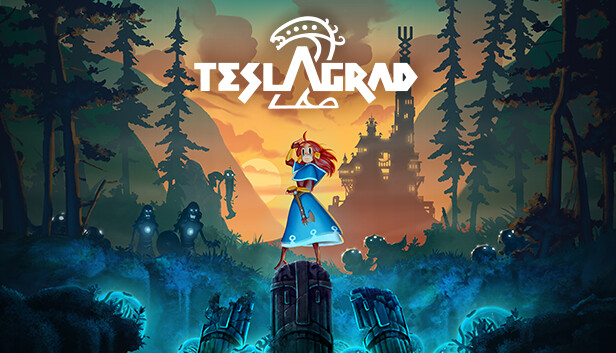
Lumina, a young Teslamancer, finds herself stranded after her airship crashes in Wyrmheim, a remote and treacherous land to the North. Embark on a dangerous adventure, exploring a gigantic, abandoned tower looming over a fjordside valley, on a quest to get Lumina home and back to her family. Use electromagnetic powers to survive the dangers of a wild and untamed land. Defend yourself against Viking raiders, face gruesome beasts inspired by Nordic mythology, and triumph against epic bosses! As your journey progresses, you’ll discover new skills and equipment needed to uncover the secrets of the land and delve into the dark past of Lumina’s ancestors.
Teslagrad 2 is the follow-up to the hugely popular physics-based game where electromagnetic powers are at the heart of survival. With improved visuals, a bigger world, and new puzzle-solving tools, Teslagrad 2 delivers a fresh and immersive puzzle-platform experience!
Key Features
Scandinavia Meets Metroidvania. The world’s first ‘Scandivania’ – a grandiose Steampunk-meets-Norse adventure accompanied by an orchestral soundtrack inspired by Nordic folk tones and electronic tracks.
Magnetic Gameplay. Test your logic skills with perplexing puzzles based on real electromagnetic physics and enjoy a new twist with curved magnets!
Master Fluid Motion. Perfect new and returning skills and use them to move quickly and skillfully through the world, combining Lumina’s abilities such as blinking, sliding, and magnetizing to build extra momentum.
Epic Boss Battles. Use your skills to overcome boss fights which unlock new abilities and additional areas to explore.
Visual Storytelling. Teslagrad 2 unfolds through what you see, with no text, voiceover or loading screens to interrupt gameplay.
Explore an Abundant World. Discover rich and beautiful 2D hand-painted environments set in a wild and ravaged world full of hidden collectibles, secrets, and lore.
Login or register at the official Steam Website and download Steam client
Install and start application, login with your Account name and Password
Click the Games Menu.
Choose Activate a Product on Steam...
Follow the onscreen instructions to complete the process
After the successful code verification, go to the "MY GAMES" tab and start downloading.
News & Updates
2026-06-11
Celebrate FIFA World Cup 2026 with YUPLAY
The FIFA World Cup 2026 is coming in hot this summer and while these coming weeks it is all going to be centered around the best game in the world of sports, we decided to bring you a dedicated YUPLAY giveaway to commemorate the occasion together! This promotional giveaway campaign invites all of our followers to try and predict the exact final scores of selected matches from the World Cup…
First V-Bucks, Now Steam Decks: Why Gaming is Getting More Expensive
Has gaming been steadily becoming more and more expensive lately? In the past months and quarters there has definitely been an increase in pricing in both the software and hardware departments of gaming and this trend has definitely stricken the market in more than a couple of ways. The industry has experienced a trend of gaming price increases as well as more expensive subscriptions…