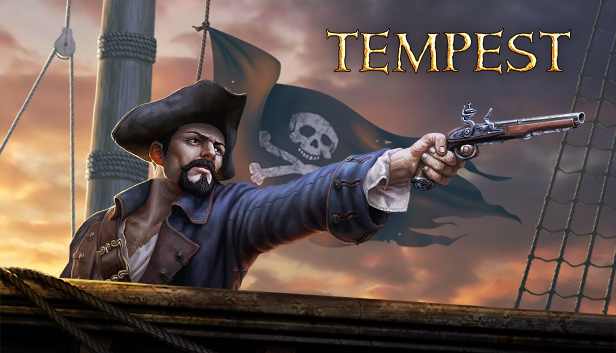
Hey Captain! Now that you’ve got the Jolly Roger fluttering in the wind over your ship, you’re ready to rove the seas, take on merchant ships loaded with booty and storm formidable fortresses. Set sail and get your hands on all those legendary treasures that are just waiting for the picking!
When we created the Tempest, we focused on the most thrilling part of pirate life – sea battles.
As you navigate the dangerous waters of the game you won’t just catch up with merchants, but you will encounter fellow pirates, creepy followers of a mysterious cult and terrible mythical monsters: Kraken, Leviathan and other infamous creatures.
Your ship – the pride and joy of any freebooter – can be customized in many ways. You are free to change almost everything – from the color of your flag and sails to the ship’s hull and figurehead.
Of course, there are plenty of weapons to choose from for every battle, including cannons, mortars, flame throwers and so on. Also there are special tools ready to help you to rig the ship for any purpose. However, you can win the most valuable artifacts only by finishing the multilevel quests called “legends”.
windows Minimum
OS: Windows XP SP3
Processor: 2 GHz Dual Core
Memory: 2 GB RAM
Graphics: Hardware Accelerated Graphics
Storage: 500 MB available space
Directx: Version 9.0
macosx Minimum
OS: OS X version Leopard 10.5 and above
Processor: 2.4GHz Intel Core 2 Duo Processor or better
Memory: 1 GB RAM
Graphics: NVIDIA GeForce 9600M GT
Storage: 300 MB available space
Network: Broadband Internet connection
Additional notes: Mouse, Keyboard
To activate the game, you need a Steam Account
Login or register at the official Steam Website and download Steam client
Install and start application, login with your Account name and Password
Click the Games Menu.
Choose Activate a Product on Steam...
Follow the onscreen instructions to complete the process
After the successful code verification, go to the "MY GAMES" tab and start downloading.
News & Updates
2026-08-21
The Biggest Games to Steal the Show at Gamescom 2026
Gamescom 2026 is coming at the end of this month with more than 900 exhibitors and we just wanted to showcase some of the upcoming games in the AAA titles category that you should definitely check out! So, be sure to go through our shortlisted future release hits in most gaming genre types, as we get ready to once again explore the world of Gamescom…
ACE COMBAT 8 Could Be the Series’ Most Ambitious Entry
The upcoming Ace Combat 8: Wings of Theve marks a completely new chapter in the popular flight shooting series, by effectively blending cinematic storytelling with the thrills of aerial combat like never before. Developed by Bandai Namco Aces Inc., the game will build upon the decades of established expertise in order to further boost the series’ strong sides…
Some functionality is not accessible when using the default controller configuration, requiring use of the touchscreen or virtual keyboard, or a community configuration
This game sometimes shows mouse, keyboard, or non-Steam-Deck controller icons
Entering some text requires manually invoking the on-screen keyboard
This game does not default to external Bluetooth/USB controllers on Deck, and may require manually switching the active controller via the Quick Access Menu
In-game interface text is legible on Steam Deck
This game's default graphics configuration performs well on Steam Deck