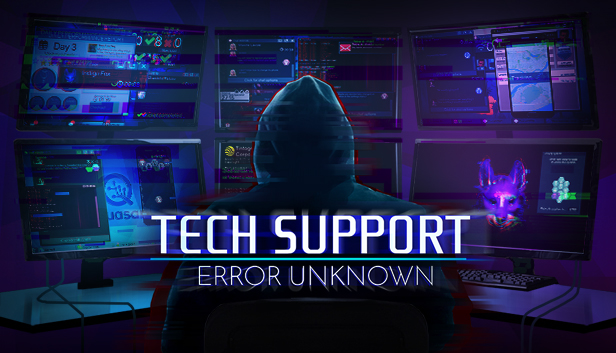
TECH SUPPORT: ERROR UNKNOWN

Åland Islands, Albania, Algeria, Andorra, Angola, Anguilla, Antigua and Barbuda, Argentina, Armenia, Aruba, Australia, Austria, Azerbaijan, Bahrain, Bangladesh, Barbados, Belarus, Belgium, Belize, Benin, Bermuda, Bhutan, Bolivia, plurinational state of, Bonaire, Sint Eustatius and Saba, Bosnia and Herzegovina, Brazil, Brunei Darussalam, Bulgaria, Burkina Faso, Burma, Burundi, Cambodia, Cameroon, Canada, Cape Verde, Cayman Islands, Central African Republic, Chad, Chile, China, Colombia, Comoros, Congo, Congo, Democratic Republic of the, Cook Islands, Costa Rica, Cote d'Ivoire, Croatia, Cuba, Curaçao, Cyprus, Czech Republic, Denmark, Djibouti, Dominica, Dominican Republic, Ecuador, Egypt, El Salvador, Equatorial Guinea, Eritrea, Estonia, Falkland Islands (Malvinas), Faroe Islands, Fiji, Finland, France, Gabon, Gambia, Georgia, Germany, Gibraltar, Greece, Guadeloupe, Guatemala, Guernsey, Guinea, Guinea-Bissau, Guyana, Haiti, Holy See (Vatican City State), Honduras, Hong Kong, Hungary, Iceland, India, Indonesia, Ireland, Isle of Man, Israel, Italy, Jamaica, Japan, Jersey, Jordan, Kazakhstan, Kenya, Korea, Republic of, Kuwait, Kyrgyzstan, Lao People's Democratic Republic, Latvia, Lebanon, Lesotho, Liberia, Liechtenstein, Lithuania, Luxembourg, Macao, Madagascar, Malawi, Malaysia, Maldives, Mali, Malta, Marshall Islands, Martinique, Mauritania, Mauritius, Mayotte, Mexico, Micronesia, Federated States of, Moldova, Monaco, Mongolia, Montenegro, Montserrat, Morocco, Mozambique, Namibia, Nepal, Netherlands, New Zealand, Nicaragua, Niger, Niue, Northern Mariana Islands, Norway, Oman, Palestinian Territory, Occupied, Papua New Guinea, Paraguay, Peru, Philippines, Poland, Portugal, Qatar, Republic of North Macedonia, Romania, Russian Federation, Rwanda, Saint Kitts and Nevis, Saint Lucia, Saint Martin (French Part), Saint Vincent and the Grenadines, San Marino, Senegal, Serbia, Seychelles, Sierra Leone, Singapore, Sint Maarten, Slovakia, Slovenia, Solomon Islands, Somalia, South Africa, South Sudan, Spain, Sudan, Suriname, Svalbard and Jan Mayen, Swaziland, Sweden, Switzerland, Taiwan, Province of China, Tajikistan, Tanzania, United Republic Of, Thailand, Timor-Leste, Togo, Tonga, Turkey, Turkmenistan, Uganda, Ukraine, United Arab Emirates, United Kingdom, United States, Uruguay, Uzbekistan, Venezuela, Vietnam, Western Sahara, Zambia, Zimbabwe
Game Description
System Requirements
Activation Details
“On behalf of Quasar Telecommunications, I am happy to welcome you in our family. You are part of our exciting new program allowing technical support specialists to work directly from home. Your new Spectrum system will connect you directly with our customers through the Support Desk.”
Tech Support: Error Unknown is an adventure game with simulation and puzzle mechanics, which places you in front of a virtual computer. As a tech support specialist new to the job, use a wide array of computer software to solve customer issues or choose to manipulate programs for personal gain. Hack your system to unlock its full potential, GPS track lost phones, scan profiles to blackmail customers, or simply propose they reboot.
While on the job, you discover a conflict between your corporate employer and an anonymous rogue hacktivist group, trying to take them down. Will you climb the corporate ladder, secretly join the hacktivists, or help the police expose them? Alternatively, will you pursue a more personal agenda?
Key features
- Engage customers and colleagues through a novel procedural dialogue system
- Choose how to approach each situation in a sandbox computer environment
- Decide who to side with and unlock new gameplay
- Discover multiple major and minor endings
- Mouse-only controls make the game accessible for all
To activate the game, you need a Steam Account
-
Login or register at the official
Steam Website and download Steam client - Install and start application, login with your Account name and Password
- Click the Games Menu.
- Choose Activate a Product on Steam...
- Follow the onscreen instructions to complete the process
- After the successful code verification, go to the "MY GAMES" tab and start downloading.