This game runs in both standard and VR modes.
See system requirements for optional VR headset details.
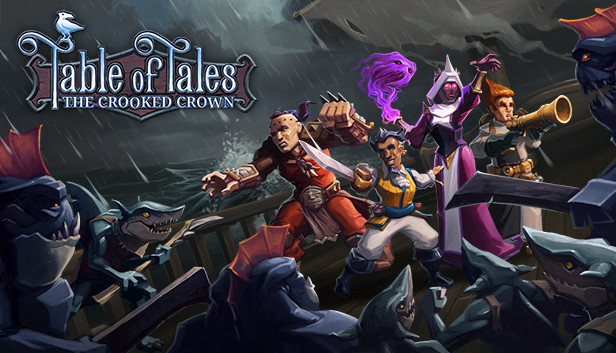
Table of Tales: The Crooked Crown is a role playing adventure that brings tabletop gaming to life. Take a seat at the magical table, captain the helm, and lead your party of scoundrels as they venture through a world of swashbuckling and sorcery. Immerse yourself in VR or play the non-VR mode through your monitor - you can now choose! While playing Table of Tales in VR is awesome, you don't need VR hardware to join the adventure.
Embark on a narrative-driven campaign featuring a fully-voiced Dungeon Master companion, who appears as a mechanical talking bird called Arbitrix.
Guide a party of four scoundrels through a captivating story that is shaped by important world-changing choices!
High Replayability! NO ONE PLAYTHROUGH IS THE SAME AS ANOTHER BASED ON CRITICAL CHOICES YOU MAKE ON THE WAY!
Battle, charm or sneak your way through more than 24 enthralling encounters.
Tactical turn-based combat and encounters feature dice, cards, skill checks and over 40 different types of enemy.
Each scoundrel has their own skill and stat upgrade path. Choose different abilities each time you play.
The magical table transforms before your eyes. YOU REALLY NEED TO SEE IT TO BELIEVE IT!
Inspired by the nostalgia of classic tabletop games and built by the team that brought you The Warlock of Firetop Mountain, the Fighting Fantasy series, and Warhammer Underworlds: Online.
Please Note: Table of Tales: The Crooked Crown was originally designed for VR. When playing the non-VR mode you may notice some differences in gameplay than what is shown in the trailer or screenshots. The interactive wands that pick up characters, select cards, and roll dice are removed from the non-VR mode. All interactions in the non-VR mode are controlled with a mouse/keyboard or with a controller. Pressing 'escape' on your keyboard will bring up the menu for the Controls.
Additional notes: Requires a 64-bit processor and operating system. VR Support: SteamVR
windows Recommended
Additional notes: Requires a 64-bit processor and operating system. VR Support: SteamVR
To activate the game, you need a Steam Account
Login or register at the official Steam Website and download Steam client
Install and start application, login with your Account name and Password
Click the Games Menu.
Choose Activate a Product on Steam...
Follow the onscreen instructions to complete the process
After the successful code verification, go to the "MY GAMES" tab and start downloading.
News & Updates
2026-09-17
Celebrate Fall and Collect Your Free Game Drop
Summer is over and the new gaming season starts with a blast at YUPLAY, so for this occasion we decided to bring you a massive storewide promotion with a surprise FREE game as a gift from us. All you have to do to participate is make an order over 9.99€ between 17.09.2026 15:00 CET and 21.09.2026 15:00 CET, and you will get your FREE game together with the ones you have purchased…
Ready to level up your YUPLAY Loyalty progress? The YXP Extra Event is back, giving you another chance to earn 50 bonus YXP with every qualifying order. Spend at least €10 between 02.09.2026 15:00 CET and 07.09.2026 15:00 CET and get an extra 50 YXP on top of your regular Loyalty Program rewards!