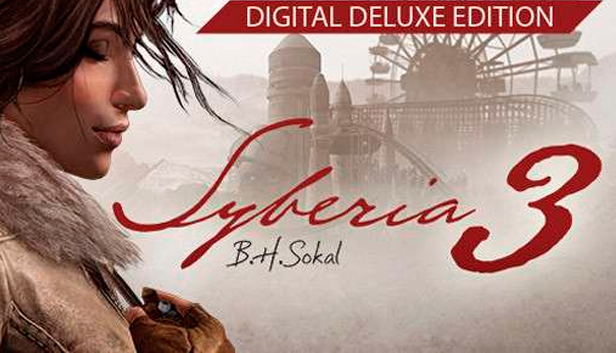
The limitless imagination of Benoît Sokal continues in Syberia 3, focusing on an entirely new adventure. After abandoning the island, Kate is found dying on the edge of a river by the Youkole tribe, a nomadic people migrating with their snow ostriches. Stuck in Valsembor village, together they must find a way to continue their journey in a race against their enemies and unexpected obstacles, not to mention Kate's past, which catches up with her.
The next generation in adventure games, Syberia 3 takes you inside an enchanting, mysterious universe full of life for you to explore in 3D. Plunged into the heart of a world inhabited by a cast of interesting characters, you'll discover and experience a fabulous tale as imagined by Benoit Sokal.
Key Features:
A brand new tale, completely different from the first two Syberia games.
Exceptionally immersive storytelling, multiplied by Benoit Sokal's unparalleled artistic direction.
Explore Benoit Sokal's poetic universe in 3D for the first time.
Original score by Inon Zur (Syberia 2, Fallout, Dragon Age, Prince of Persia).
Original, real-time 3D puzzles and mysteries.
Previously in Syberia
A lawyer in NYC, Kate Walker was sent to Europe on a simple mission that gradually transformed into personal quest, an adventure that led her on a voyage aboard a locomotive bound for the reaches of the Europe. Accompanied by a robot named Oscar, she fulfilled inventor Hans Voralberg's dream, searching for the last mammoths all the way on the legendary island of Syberia.
windows Minimum
OS: Windows 7+ 64bit
Processor: Intel Core i3
Memory: 4 GB RAM
Graphics: AMD R7 260X - Nvidia GTX 550 Ti 2GB
Storage: 45 GB available space
Directx: Version 11
Sound card: Any
windows Recommended
OS: Windows 7+ 64bit
Processor: Intel Core i5
Memory: 8 GB RAM
Graphics: Nvidia GTX 960 2 GB
Storage: 45 GB available space
Directx: Version 11
Sound card: Any
To activate the game, you need a Steam Account
Login or register at the official Steam Website and download Steam client
Install and start application, login with your Account name and Password
Click the Games Menu.
Choose Activate a Product on Steam...
Follow the onscreen instructions to complete the process
After the successful code verification, go to the "MY GAMES" tab and start downloading.
News & Updates
2026-06-11
Celebrate FIFA World Cup 2026 with YUPLAY
The FIFA World Cup 2026 is coming in hot this summer and while these coming weeks it is all going to be centered around the best game in the world of sports, we decided to bring you a dedicated YUPLAY giveaway to commemorate the occasion together! This promotional giveaway campaign invites all of our followers to try and predict the exact final scores of selected matches from the World Cup…
First V-Bucks, Now Steam Decks: Why Gaming is Getting More Expensive
Has gaming been steadily becoming more and more expensive lately? In the past months and quarters there has definitely been an increase in pricing in both the software and hardware departments of gaming and this trend has definitely stricken the market in more than a couple of ways. The industry has experienced a trend of gaming price increases as well as more expensive subscriptions…