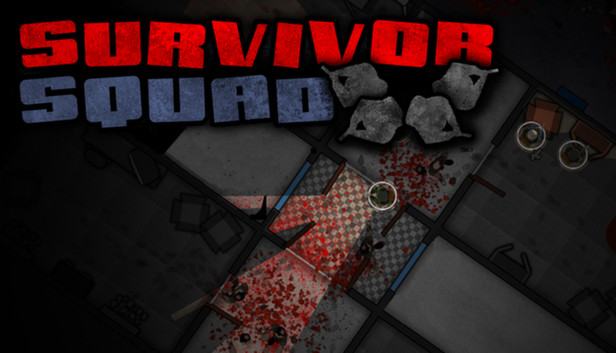
Survivor Squad is a Strategy Action game where you control a Squad of up to four survivors and guide them through a highly randomized world looking for supplies to aid you on your journey.
Scavenge for supplies in every corner of every building, craft your gear, pick your skills and loadout while keeping your Squad alive by covering every corner and moving as a group.
It is a game that encourages quick thinking and fast paced play since you need to pay attention to all of your squad mates. If you leave someone behind, chances are they will be pounced on and die. Move as a Squad and cover every corner.
Four game modes: Campaign, Survival, Death Lab and Multiplayer.
Campaign: Play through a highly randomized world following a simple storyline with unique events and a conclusion.
Survival: Score based mode, go through as many randomly generated buildings as you can never looking back.
Death Lab: Equip your Survivor Squad with a limited budget and take them through a collapsed Lab. Good micro management of your Squad is essential to your survival.
Multiplayer: The new Multiplayer mode is a 1v1 scenario (Online/LAN) where one player controls the Survivors and another player controls the Infected. The Survivors must reach the extraction zone and the Infected must stop them by spawning various types of Infected around them. Will the survivors reach their extraction zone alive and well or will they be devoured along the way? It's up to you!
windows Minimum
OS: Windows XP
Processor: 1.7Ghz Code 2 Duo
Memory: 512 MB RAM
Graphics: Radeon 3850 or equivalent
Storage: 900 MB available space
macosx Minimum
OS: Mac OS X 10.5
Processor: 1.7Ghz Code 2 Duo
Memory: 512 MB RAM
Graphics: Radeon 3850 or equivalent
Storage: 900 MB available space
Additional notes: Keyboard and Mouse with Secondary click enabled
linux Minimum
OS: Ubuntu Linux, version 10.10 or later
Processor: 1.7Ghz Code 2 Duo
Memory: 512 MB RAM
Graphics: Radeon 3850 or equivalent
Storage: 900 MB available space
To activate the game, you need a Steam Account
Login or register at the official Steam Website and download Steam client
Install and start application, login with your Account name and Password
Click the Games Menu.
Choose Activate a Product on Steam...
Follow the onscreen instructions to complete the process
After the successful code verification, go to the "MY GAMES" tab and start downloading.
News & Updates
2026-08-21
The Biggest Games to Steal the Show at Gamescom 2026
Gamescom 2026 is coming at the end of this month with more than 900 exhibitors and we just wanted to showcase some of the upcoming games in the AAA titles category that you should definitely check out! So, be sure to go through our shortlisted future release hits in most gaming genre types, as we get ready to once again explore the world of Gamescom…
ACE COMBAT 8 Could Be the Series’ Most Ambitious Entry
The upcoming Ace Combat 8: Wings of Theve marks a completely new chapter in the popular flight shooting series, by effectively blending cinematic storytelling with the thrills of aerial combat like never before. Developed by Bandai Namco Aces Inc., the game will build upon the decades of established expertise in order to further boost the series’ strong sides…
Some functionality is not accessible when using the default controller configuration, requiring use of the touchscreen or virtual keyboard, or a community configuration
This game sometimes shows mouse, keyboard, or non-Steam-Deck controller icons
Entering some text requires manually invoking the on-screen keyboard
Some in-game text is small and may be difficult to read
This game's default graphics configuration performs well on Steam Deck