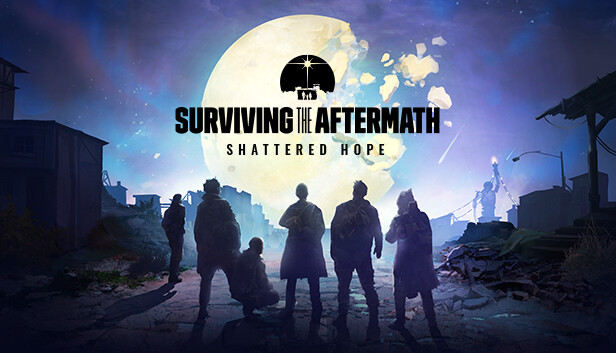
The Moon is shattered. Broken. Lost in the vast space above planet Earth. What was once a beacon of hope in the sky has now left survivors to deal with a new, catastrophic void in “Shattered Hope”, the new Expansion for Surviving the Aftermath. Use the Moon’s fragments to your advantage and make sure to keep your hopes up (literally!) to survive.
Face the Moonfall and use it to your advantage with the new Building Boost mechanic The Moon is shattered in the sky and its fragments are crushing down on Earth leaving behind them devastation - but also moon rock deposits. You can refine lunar fragments and obtain lunar dust which will be used to increase the production of your buildings for a limited time. This new building boost mechanic is called overtime.
Keep your hopes up, and feast! Hope is a new global value that decreases over time and when catastrophes happen in the game. If kept too low for too long, it will trigger a new condition called anguish that, if left untreated, may turn your colonists hostile. So, keep your hope as high as possible by holding feasts at the new colony square building!
New production chain: take care of your colonists! When colonists experience anguish, you can help them by building a trauma center where they will heal. They will recover faster thanks to a brand new medicine called antistress. To make it, you’ll have to grow raw resources on the mushroom farm, then refine them into the actual medicine in the med hut building.
Processor: Intel® iCore™ i5-2500K or AMD® AMD® FX 6350
Memory: 4 GB RAM
Graphics: Nvidia® GeForce™ GTX 580 or AMD® Radeon™ HD 7870
Storage: 4 GB available space
Directx: Version 11
windows Recommended
OS: Windows® 10 Home 64 bit
Processor: Intel® iCore™ i5-3570K or AMD® Ryzen™ 3 2200G
Memory: 8 GB RAM
Graphics: Nvidia® GeForce™ GTX770 or AMD® Radeon™ R9 380
Storage: 4 GB available space
Directx: Version 11
To activate the game, you need a Steam Account
Login or register at the official Steam Website and download Steam client
Install and start application, login with your Account name and Password
Click the Games Menu.
Choose Activate a Product on Steam...
Follow the onscreen instructions to complete the process
After the successful code verification, go to the "MY GAMES" tab and start downloading.
News & Updates
2026-09-17
Celebrate Fall and Collect Your Free Game Drop
Summer is over and the new gaming season starts with a blast at YUPLAY, so for this occasion we decided to bring you a massive storewide promotion with a surprise FREE game as a gift from us. All you have to do to participate is make an order over 9.99€ between 17.09.2026 15:00 CET and 21.09.2026 15:00 CET, and you will get your FREE game together with the ones you have purchased…
Ready to level up your YUPLAY Loyalty progress? The YXP Extra Event is back, giving you another chance to earn 50 bonus YXP with every qualifying order. Spend at least €10 between 02.09.2026 15:00 CET and 07.09.2026 15:00 CET and get an extra 50 YXP on top of your regular Loyalty Program rewards!