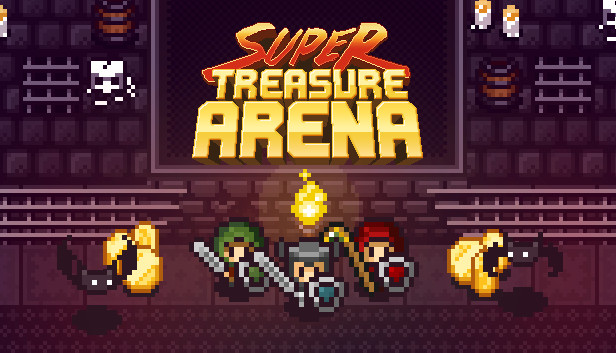
Super Treasure Arena is a unique mix of retro-inspired arcade action and objective-based arena shooters for up to 4 players. The result is a frantic game where collecting and stealing coins from your opponents is the key to victory.
Play locally via split-screen with your friends, or challenge other players online!
6 thrilling maps!
5 playable characters: Warrior, Rogue, Mage, Mystic, and Ninja - each with their own special ability!
2 action-packed game modes!
Local and online multiplayer!
Full controller support!
ENTER THE ARENA
Choose a character and battle it out on tight top-down maps, filled with angry monsters and shiny loot. Various weapons scattered across each map can be picked up and will help you blasting away your opponents, including bows, magic staffs, bombs, rockets and more!
Classic - Collect coins from monsters and treasure chests, and beat them right back out of your opponents! Treasure Run - Stay alive while carrying loot-filled treasure chests back to your home base!
MULTIPLAYER MADNESS
There are plenty of multiplayer options for you to enjoy. You can choose to play...
Locally against friends via split-screen
Online against other players
Against AI bots
Or a mix of anything above!
windows Minimum
OS: Windows Vista or later
Processor: Intel Core 2 Duo @ 2.00 GHz or equivalent
Memory: 2 GB RAM
Graphics: GeForce 9400 (512 MB) or equivalent
Storage: 100 MB available space
Directx: Version 9.0c
windows Recommended
OS: Windows 7/8/10
Processor: Intel i3 @ 2.5 GHz or AMD equivalent
Memory: 4 GB RAM
Graphics: GeForce GTX 460 (1 GB) or Radeon HD 5850
Storage: 100 MB available space
Directx: Version 9.0c
Network: Broadband Internet connection
macosx Minimum
OS: Mac OS X 10.8 or higher
Processor: Intel Core 2 Duo @ 2.00 GHz or equivalent
Memory: 2 GB RAM
Graphics: GeForce 8800 or equivalent
Storage: 100 MB available space
macosx Recommended
OS: Mac OS X 10.8 or higher
Processor: Intel i3 or higher
Memory: 4 GB RAM
Graphics: GeForce GTX 470 or Radeon 7950
Storage: 100 MB available space
Network: Broadband Internet connection
To activate the game, you need a Steam Account
Login or register at the official Steam Website and download Steam client
Install and start application, login with your Account name and Password
Click the Games Menu.
Choose Activate a Product on Steam...
Follow the onscreen instructions to complete the process
After the successful code verification, go to the "MY GAMES" tab and start downloading.
News & Updates
2026-10-23
BOO! Giveaway - Win a Game of Your Choice
Make a purchase of any amount between 23.10.2026 15:00 CET and 28.10.2026 15:00 CET, submit your Order ID in our Gleam and get a chance to win a FREE GAME (up to 50€).…