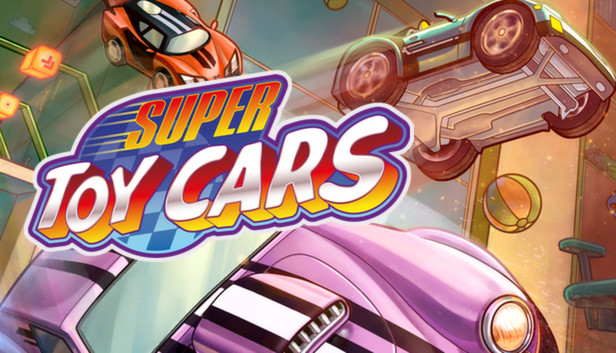
Super Toy Cars is a tabletop arcade combat racing game featuring fast and cool looking cars, impressive tracks made of everyday objects and a bunch of power-ups that will let you destroy your opposition. Collect all cars and upgrades to keep up with competition while you progress in career mode or have a quick race either against AI opponents or against friends. You can play up to 4 players locally and up to 8 players online. Go and build your own tracks, share them with friends or play with them in your tracks. Super Toy Cars is big and with lots of options for you to tinkle and play with, but most importantly this game has been carefully crafted to be fun play and fun to race, either alone or with friends.
There are 16 different cars in the game each one with its unique handling model. You can experiment with them and play the ones that best suite your driving style and the different situations you'll find in our 12 tracks. Oh, and maybe you'll want to use different cars depending on which type of event you're playing, because we have 48 events in career mode, but not all of them are races! And if you grow tired of the tracks in the game you can always check what other tracks have the community built or even build your own and share it with our in-game track editor.
Key Features:
16 different cars with unique handling models
12 different tracks in 4 different locations which can be played in 5 different event types
Career mode comprising 48 events
Up to 4 player local multiplayer
Up to 8 player online multiplayer
Track editor to build and share your own tracks
windows Minimum
OS: Windows 7
Processor: 2GHz Intel Core 2 Duo or equivalent
Memory: 2 GB RAM
Graphics: 256MB with Shader Model 3.0 support
Storage: 512 MB available space
Directx: Version 9.0c
Sound card: DirectX 9 Compatible
macosx Minimum
OS: OS X 10.9 or higher
Processor: 2 GHz Dual Core Intel CPU
Memory: 2 GB RAM
Graphics: nVidia GeForce GT 9600M/320M, or ATI (AMD) Radeon HD 4670 with 256 MB VRAM.
Storage: 512 MB available space
Additional notes: These specs are still being determined.
To activate the game, you need a Steam Account
Login or register at the official Steam Website and download Steam client
Install and start application, login with your Account name and Password
Click the Games Menu.
Choose Activate a Product on Steam...
Follow the onscreen instructions to complete the process
After the successful code verification, go to the "MY GAMES" tab and start downloading.
News & Updates
2026-01-16
Winter is the Perfect Time to Get Some Extra YXP
Winter season is much better with more games to play, so let’s kick-off 2026 with a storewide promotion bang and YXP level-ups then, shall we? For the first promo campaign this year we have prepared some incredible price drops and offers that you simply can’t miss out on! For the very short duration of only 3 days, you will have the opportunity to earn 50 extra YXP points in your account by making an order over 10€ …
Dive into Adrenaline-Fueled Battles in Code Vein II
We are starting the year with a review for a title that is ready to hit the market hard, because Code Vein II is the upcoming sequel to the 2019 soulslike Action RPG developed by Bandai Namco Studios. The game’s Steam page is already getting a lot of attention and for those of you looking to find out what is new in the gameplay and storyline compared to the original title, well… you are at the right place!
Some functionality is not accessible when using the default controller configuration, requiring use of the touchscreen or virtual keyboard, or a community configuration
This game shows Steam Deck controller icons
In-game interface text is legible on Steam Deck
This game's default graphics configuration performs well on Steam Deck