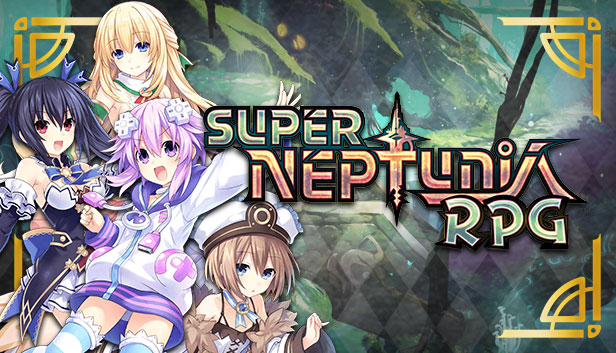
The self-proclaimed hero, Neptune, awakes in a familiar world, but has no recollection of anything other than her name. With the help of a mysterious girl named Chrome, as well as three other familiar faces beloved in the Neptunia™ series, Neptune embarks on a journey through the mysterious dimension to try to regain her memory.
Little do they know, the world they inhabit is under attack by an enemy who wants to take civilization back to the time where 2D reigns supreme.
Can Neptune and her friends save the world and 3D games as we know it, or will they be flattened into two dimensions forever?
Key Features
New Me in 2D – Your favorite Goddesses jump from three dimensions to two! Artisan Studios and Compile Heart proudly present new, vibrant backgrounds and newly developed 2D animations hand drawn in this action-inspired side-scrolling RPG! With Artisan Studios and Tsunako collaborating to create new background and character art, fans and newcomers alike can see Gamindustri in a new 2D perspective.
Where You Lead, I Will Follow – With four Goddesses to rotate on-the-fly during battle, players can change their formation type and unleash devasting attack combos. Depending on which Goddess is leading the pack, players can strategize attacks from four different formations: Strike, Magic, Support and Heal!
Goddess ‘bout to Break! – Strut your stuff and dish out your special Break Attack to ensure victory! Armed with their classic ability to transform, the Goddesses gain additional stat bonuses that enhance their attacks and lay waste to any enemy!
Put a +2 Str Ring On It – Strengthen your Goddesses by utilizing Skills and Abilities that can be unlocked with weapons, armor, or accessories! Strategically assign Skills and rearrange your abilities for each battle.
Disclaimer: Setting the “A” button as “Return” and the “B” button as “Enter” can be achieved either by setting the Steam language to Japanese or Chinese or through manually remapping the buttons on the Button Config menu during gameplay.
Login or register at the official Steam Website and download Steam client
Install and start application, login with your Account name and Password
Click the Games Menu.
Choose Activate a Product on Steam...
Follow the onscreen instructions to complete the process
After the successful code verification, go to the "MY GAMES" tab and start downloading.
News & Updates
2026-09-17
Celebrate Fall and Collect Your Free Game Drop
Summer is over and the new gaming season starts with a blast at YUPLAY, so for this occasion we decided to bring you a massive storewide promotion with a surprise FREE game as a gift from us. All you have to do to participate is make an order over 9.99€ between 17.09.2026 15:00 CET and 21.09.2026 15:00 CET, and you will get your FREE game together with the ones you have purchased…
Ready to level up your YUPLAY Loyalty progress? The YXP Extra Event is back, giving you another chance to earn 50 bonus YXP with every qualifying order. Spend at least €10 between 02.09.2026 15:00 CET and 07.09.2026 15:00 CET and get an extra 50 YXP on top of your regular Loyalty Program rewards!
Some in-game text is small and may be difficult to read
This game does not default to external Bluetooth/USB controllers on Deck, and may require manually switching the active controller via the Quick Access Menu
All functionality is accessible when using the default controller configuration
This game shows Steam Deck controller icons
This game's default graphics configuration performs well on Steam Deck