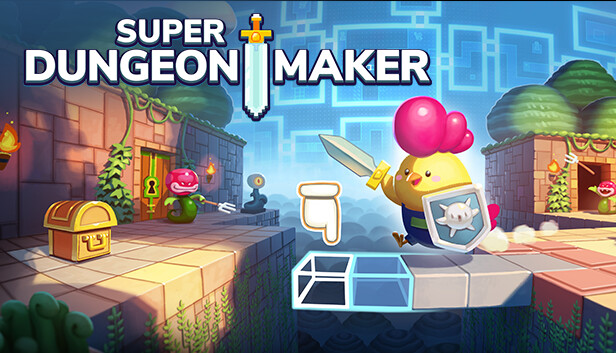
BUILD your very own dungeon in just few steps The easy to navigate dungeon creator allows you to make exciting dungeons-levels within minutes. Choose how many levels, items and hidden objects you want and create your very own pixel art-style dungeons of varying themes and difficulties.
Share your dungeons with your friends, family or community Unleash your creative streak as a dungeon creator and place as many enemies, floors and secret paths as you like. Make the journey more difficult for your friends with countless traps and hidden spikes.
Explore countless community-made dungeons Play built-in dungeons or play the dungeons of your friends and the community. Solve their puzzles and defeat the enemies you encounter during your adventures. Find hidden hearts to replenish your health and make it to the final boss. Become a hero of the most impossible dungeons the community can come up with. Show everyone that your dungeon is the best!
Key features
Build your own dungeons easily in just few steps
cross-platform level sharing
Channel mechanic makes it easy to "program" creative or complex dungeons.
Endless possibilities for puzzles
Decorate your level as you like
Play thousands of dungeons from the community
Optimized for Joycons/Gamepad and mouse/keyboard
Inspired by: Zelda Super Mario Maker Levelhead and many more great games.
Published by rokaplay, Developed by FIRECHICK. rokaplay and the rokaplay logo are registered trademarks of rokaplay GmbH, Germany. FIRECHICK and the FIRECHICK logo are registered trademarks of FIRECHICK GbR, Germany. All rights reserved. Super Dungeon Maker and the Super Dungeon Maker logo are registered trademarks of rokaplay GmbH, Germany.
windows Minimum
OS: Windows 7 /10 / 11
Memory: 512 MB RAM
Graphics: 256MB
Storage: 850 MB available space
windows Recommended
OS: Windows 7 /10 / 11
Memory: 1024 MB RAM
Graphics: 512MB
Storage: 2 GB available space
Network: Broadband Internet connection
To activate the game, you need a Steam Account
Login or register at the official Steam Website and download Steam client
Install and start application, login with your Account name and Password
Click the Games Menu.
Choose Activate a Product on Steam...
Follow the onscreen instructions to complete the process
After the successful code verification, go to the "MY GAMES" tab and start downloading.
News & Updates
2026-11-06
Win GTA VI for PS5 with YUPLAY
Want to get your hands on GTA VI for PS5? We're giving one lucky winner the chance to win a copy of Grand Theft Auto VI. Head over to our X giveaway, follow YUPLAY, repost, and leave a comment for your chance to win.
Some functionality is not accessible when using the default controller configuration, requiring use of the touchscreen or virtual keyboard, or a community configuration
Entering some text requires manually invoking the on-screen keyboard
This game shows Steam Deck controller icons
In-game interface text is legible on Steam Deck
This game's default graphics configuration performs well on Steam Deck