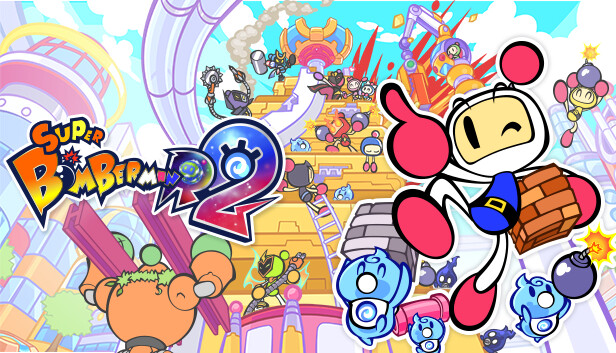
The latest title of the party battle games series SUPER BOMBERMAN R!
With new adventures and game modes, it has the largest content volume in the series' history!
The game features not only offline battles that can be played with family and friends, but also online battles that connect players from all over the world, as well as a single player mode.
In addition to the well-known "Standard", "Grand Prix" and "Battle 64" a new battle mode called "Castle" in which players are divided into Attack side and Castle side to battle for the treasure!
A "Stage Editor" function has also been added, allowing players to create their own stages for "Castle" and share them online with players around the globe.
Let's have fun together in "SUPER BOMBERMAN R 2"!
Battle Mode
Enjoy 4 battle modes, including the new "Castle"!
“Castle”: Asymmetrical battle between the Castle side, which protects the treasure chest, and the Attack side, which aims to win the treasure chest!
“Standard”: The classic battle mode loved by fans!
“Grand Prix”: Battle of two teams! Work with your allies to defeat the opposing team!
“Battle 64”: Battle for survival with up to 64 players! Aim for Bomber One!
Grade Match
Battles between users with similar abilities!
Fight online with players from all over the world!
Room Match
Set freely battle modes and rules!
Get your friends together online and have a good time!
Offline Battle
With one console you can enjoy Bomberman!
Connect additional controllers and play with family and friends!
*Controllers for the number of persons are required.
Stage Editor
Customized stages with blocks and gimmicks can be shared online!
Create, play, share, and explore various stages with the Stage Editor!
Story Mode
Enjoy the Story Mode that has been enhanced!
Visit new planets with Bombermans new friends “Ellons” and face the threat of the universe!
Login or register at the official Steam Website and download Steam client
Install and start application, login with your Account name and Password
Click the Games Menu.
Choose Activate a Product on Steam...
Follow the onscreen instructions to complete the process
After the successful code verification, go to the "MY GAMES" tab and start downloading.
News & Updates
2026-08-21
The Biggest Games to Steal the Show at Gamescom 2026
Gamescom 2026 is coming at the end of this month with more than 900 exhibitors and we just wanted to showcase some of the upcoming games in the AAA titles category that you should definitely check out! So, be sure to go through our shortlisted future release hits in most gaming genre types, as we get ready to once again explore the world of Gamescom…
ACE COMBAT 8 Could Be the Series’ Most Ambitious Entry
The upcoming Ace Combat 8: Wings of Theve marks a completely new chapter in the popular flight shooting series, by effectively blending cinematic storytelling with the thrills of aerial combat like never before. Developed by Bandai Namco Aces Inc., the game will build upon the decades of established expertise in order to further boost the series’ strong sides…
This game sometimes shows mouse, keyboard, or non-Steam-Deck controller icons
This game does not default to external Bluetooth/USB controllers on Deck, and may require manually switching the active controller via the Quick Access Menu
All functionality is accessible when using the default controller configuration
In-game interface text is legible on Steam Deck
This game's default graphics configuration performs well on Steam Deck