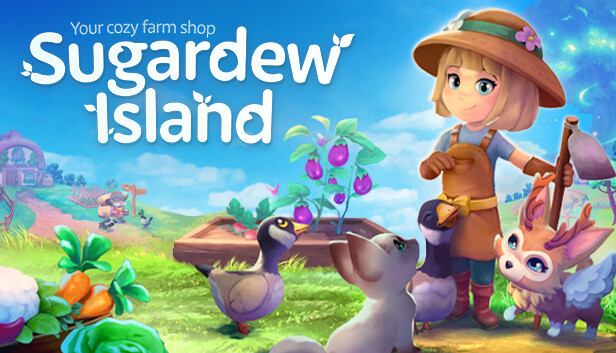
Sugardew Island is an intentionally uncomplicated cozy farm shop sim, crafted by a tiny indie dev team. We developed Sugardew Island so you can unwind, relax, and enjoy your beloved genre.
Take care of your animals and your farm, sell your goods to the cute Forest Folk, upgrade your farm and fulfill small orders from the Harmony Tree to fill the tiny island with life again.
Complete Harmony Tree quests to restore the island
Relaxing, pressure-free gameplay with no time limits
Also designed for short, enjoyable play sessions
What can you expect?
Farming: Take care of your plants, make fertilizer and sell your farm produce.
Your farm shop: Sell items in your shop and negotiate with the Forest Folk for prices.
Resource Gathering: Collect wood, stones, and weeds for farm improvements.
Character Editor: Customize your character’s look to create your perfect persona.
Animals: Feed, interact & build bonds with animals for eggs and milk.
Pet Companions: Give names to pets, interact with them, and let them follow you around the island.
Harmony Tree Quests: Fulfill orders to heal the Harmony Tree and upgrade the small island.
Trader Tomte: Purchase seeds, animals, and more from the friendly trader.
Upgrade System: Improve your house, barn, and tools to enhance efficiency.
Restore harmony to this enchanting world!
After a surprising storm and a shipwreck, your journey begins as you awaken on a deserted island. To continue your adventure, you must collect Harmony by selling goods to the forest folk, healing the island and overcoming the thorns.
Developed and Published by rokaplay. rokaplay and the rokaplay logo are registered trademarks of rokaplay GmbH, Germany. All rights reserved. Sugardew Island and the Sugardew Island logo are registered trademarks of rokaplay GmbH, Germany. We have received funding from the German Federal Ministry for Economic Affairs and Climate Action for production.
To activate the game, you need a Steam Account
Login or register at the official Steam Website and download Steam client
Install and start application, login with your Account name and Password
Click the Games Menu.
Choose Activate a Product on Steam...
Follow the onscreen instructions to complete the process
After the successful code verification, go to the "MY GAMES" tab and start downloading.
News & Updates
2026-10-02
YXP Extra Event: Give Your Next Rank a Boost!
Earn 50 BONUS YXP with every €10+ order! Boost your progress, climb the ranks, and get more from your next purchase during the YXP Extra Event.
This game does not default to external Bluetooth/USB controllers on Deck, and may require manually switching the active controller via the Quick Access Menu
All functionality is accessible when using the default controller configuration
This game shows Steam Deck controller icons
In-game interface text is legible on Steam Deck
This game's default graphics configuration performs well on Steam Deck