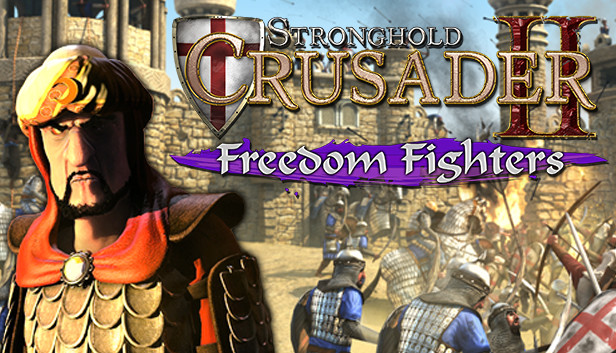
Stay away from my lands, infidel! Stronghold Crusader 2: Freedom Fighters casts you as a fearless Arabic Lord set on taking the fight back to the invading Crusader hordes. After defending Saladin’s peaceful farmland from cowardly Crusader skirmishes, you must enlist the aid of The Shah and counterattack! Once the Crusaders have been lured out of their castle and into the desert you will land the killing blow, launching an assault on the mountain camp where they make their last stand.
Available for the first time ever as a standalone DLC, 'Freedom Fighters' adds two missions to the base Stronghold Crusader 2 game. Set during the events of the main Arabic story campaign the 'Freedom Fighters' mini-campaign introduces new scenarios, achievements and challenges suitable for all players. Previously a pre-order exclusive, both 'Freedom Fighters' and its companion DLC 'Delivering Justice' can be purchased individually on Steam.
DLC Features
Mini-Campaign - Enjoy two extra single player missions in the 'Freedom Fighters' learning campaign.
Repel the Infidel - Defend farmlands, battle alongside The Shah and wipe out the Crusaders in 'The Horns of Hattin'.
The Arab - Play as a fearless Arabic Lord taking the fight back to the invading Crusader hordes.
Extra Achievements - Channel your inner completionist by claiming 100% of all Crusader 2 achievements.
Please Note: Freedom Fighters is downloadable add-on content, requiring the full Stronghold Crusader 2 base game on Steam to play.
OS: Windows® XP/Vista/7/8 with latest service packs
Processor: Intel® Core™2 Duo 2Ghz or equivalent
Memory: 2 GB RAM
Graphics: NVIDIA® GeForce® 8800GT 512MB or AMD Radeon™ HD 2900XT 512MB or better
Directx: Version 9.0c
Network: Broadband Internet connection
windows Recommended
OS: Windows® Vista/7/8 64-bit with latest service packs
Processor: Intel® Core™ i5 or equivalent
Memory: 8 GB RAM
Graphics: NVIDIA® GeForce® GTX 460 1GB or AMD Radeon™ HD 5830 1GB or better
Directx: Version 9.0c
Network: Broadband Internet connection
To activate the game, you need a Steam Account
Login or register at the official Steam Website and download Steam client
Install and start application, login with your Account name and Password
Click the Games Menu.
Choose Activate a Product on Steam...
Follow the onscreen instructions to complete the process
After the successful code verification, go to the "MY GAMES" tab and start downloading.
News & Updates
2026-06-11
Celebrate FIFA World Cup 2026 with YUPLAY
The FIFA World Cup 2026 is coming in hot this summer and while these coming weeks it is all going to be centered around the best game in the world of sports, we decided to bring you a dedicated YUPLAY giveaway to commemorate the occasion together! This promotional giveaway campaign invites all of our followers to try and predict the exact final scores of selected matches from the World Cup…
First V-Bucks, Now Steam Decks: Why Gaming is Getting More Expensive
Has gaming been steadily becoming more and more expensive lately? In the past months and quarters there has definitely been an increase in pricing in both the software and hardware departments of gaming and this trend has definitely stricken the market in more than a couple of ways. The industry has experienced a trend of gaming price increases as well as more expensive subscriptions…