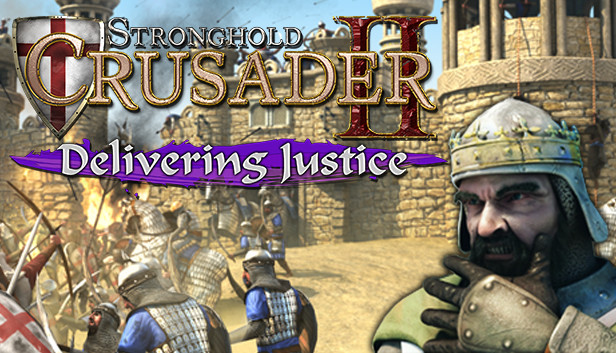
The sons of pigs have me surrounded... Send me your fastest men! Stronghold Crusader 2: Delivering Justice casts you as one of the few remaining honourable Crusader Lords. Fighting to maintain order and prevent further bloodshed in the Holy Land, you must protect vulnerable Arab merchants, fend off raiding parties and capture an enemy castle on the path to Jerusalem. While keeping rogue elements in line and maintaining the peace, players will also settle the score with an old enemy in disguise.
Available for the first time ever as a standalone DLC, 'Delivering Justice' adds two missions to the base Stronghold Crusader 2 game. Set during the events of the main Crusader story campaign the 'Delivering Justice' mini-campaign introduces new scenarios, achievements and challenges suitable for all players. Previously a pre-order exclusive, both 'Delivering Justice' and its companion DLC 'Freedom Fighters' can be purchased individually on Steam.
DLC Features
Mini-Campaign - Enjoy two extra single player missions in the 'Delivering Justice' learning campaign.
Conquer the Heathen - Protect merchants, capture strongholds and tackle an old foe in the final mission: 'Swine'.
The Crusader - Play as an honourable Crusader Lord fighting to maintain order in the Holy Land.
Extra Achievements - Channel your inner completionist by claiming 100% of all Crusader 2 achievements.
Please Note: Delivering Justice is downloadable add-on content, requiring the full Stronghold Crusader 2 base game on Steam to play.
OS: Windows® XP/Vista/7/8/10 with latest service packs
Processor: Intel® Core™2 Duo 2Ghz or equivalent
Memory: 2 GB RAM
Graphics: NVIDIA® GeForce® 8800GT 512MB or AMD Radeon™ HD 2900XT 512MB or better
Directx: Version 9.0c
Network: Broadband Internet connection
windows Recommended
OS: Windows® Vista/7/8/10 64-bit with latest service packs
Processor: Intel® Core™ i5 or equivalent
Memory: 8 GB RAM
Graphics: NVIDIA® GeForce® GTX 460 1GB or AMD Radeon™ HD 5830 1GB or better
Directx: Version 9.0c
Network: Broadband Internet connection
To activate the game, you need a Steam Account
Login or register at the official Steam Website and download Steam client
Install and start application, login with your Account name and Password
Click the Games Menu.
Choose Activate a Product on Steam...
Follow the onscreen instructions to complete the process
After the successful code verification, go to the "MY GAMES" tab and start downloading.
News & Updates
2026-04-27
30 Years of Fear: Celebrating the Legacy of Resident Evil
It has been 3 whole decades of zombie survival horror since the Resident Evil series started and we decided to cover the most recent developments in the CAPCOM masterpiece that is synonyms with all kinds of deadly and gory heart-stopping experiences that would make you chill every time you decide to partake in it! Originally titled Biohazard (in Japan), the Resident Evil franchise spans across multiple…
From Wishlist to Courtroom: The Steam Lawsuits Explained
There have been numerous Steam court case lawsuits throughout the years and ever since the start of the year they have made the pile even bigger! We decided to check out some of the latest accusations against the popular gaming platform as well as go through some of the previous cases that caused a stir of Valve legal issues in the past! Gabe Newell and Valve have definitely not been strangers to the court system…