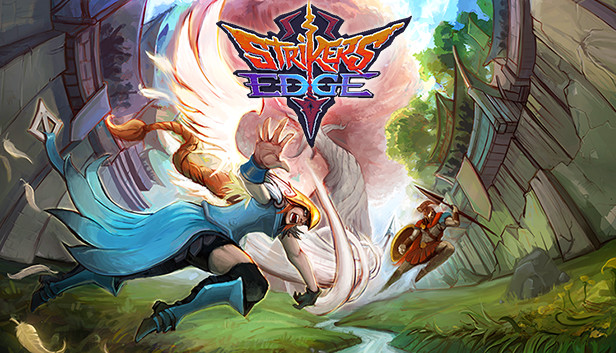
Strikers Edge is a medieval dodgeball with weapons, ancient warriors and special powers. Challenge your opponents in online and local multiplayer, ascend to the top of the ladder and become the best striker!
DODGEBRAWL: Strikers Edge is a game of dodgebrawl! Use whatever means it takes to bring your foe down from your side of the rift.
GIT GUD: Get your accuracy on point, anticipate your enemies’ trajectories and get the psychological upper hand to annihilate the opposition!
ONLINE AND LOCAL: Fight online or locally as one of 8 unique strikers across 4 different arenas. Achieve greatness in 2v2 with a friend or become the top striker in 1v1!
PICK UP & MASTER: Each striker has its own set of abilities, weapon, stats and playstyles. Which one will you choose and master?
Features
Choose among 8 unique strikers, each with it's set of abilities, play style and strategies.
Play 1vs1 and 2vs2 matches, obliterate the opposition in online and local sessions.
Select between 4 different arenas with distinct layouts, obstacles and hazards to add to your strategy.
Easy to learn, hard to master: pick your favorite striker and get ready to discover all his hidden mechanics, combos and nuances.
Strikers Edge puts mind games front and center. Predict your opponents moves and surprise them with yours!
Twitch Integration: Streamers will be able to interact with their audience when playing: viewers can become a member of the crowd inside the game, throw cheer or boo at the players, vote for match modifiers and more!
windows Minimum
OS: Windows 7
Processor: Core 2 Duo or equivalent - 3.0 GHz or higher
Memory: 4 GB RAM
Graphics: NVidia Geforce FX, 6x00, 7x00, 8x00, 9x00 and GTX 2x0 and newer. ATI Radeon 9x00, Xx00, X1x00, HD2x00 and HD3x00 series and newer. Intel® HD Graphics
Storage: 1 GB available space
Directx: Version 9.0
Network: Broadband Internet connection
macosx Minimum
OS: OSX 10.9+
Processor: 2 GHz
Memory: 4 GB RAM
Storage: 1 GB available space
Network: Broadband Internet connection
To activate the game, you need a Steam Account
Login or register at the official Steam Website and download Steam client
Install and start application, login with your Account name and Password
Click the Games Menu.
Choose Activate a Product on Steam...
Follow the onscreen instructions to complete the process
After the successful code verification, go to the "MY GAMES" tab and start downloading.
News & Updates
2026-10-23
BOO! Giveaway - Win a Game of Your Choice
Make a purchase of any amount between 23.10.2026 15:00 CET and 28.10.2026 15:00 CET, submit your Order ID in our Gleam and get a chance to win a FREE GAME (up to 50€).…
This game's launcher/setup tool may require the touchscreen or virtual keyboard, or have difficult to read text
This game does not default to external Bluetooth/USB controllers on Deck, and may require manually switching the active controller via the Quick Access Menu
All functionality is accessible when using the default controller configuration
This game shows Steam Deck controller icons
In-game interface text is legible on Steam Deck
This game's default graphics configuration performs well on Steam Deck