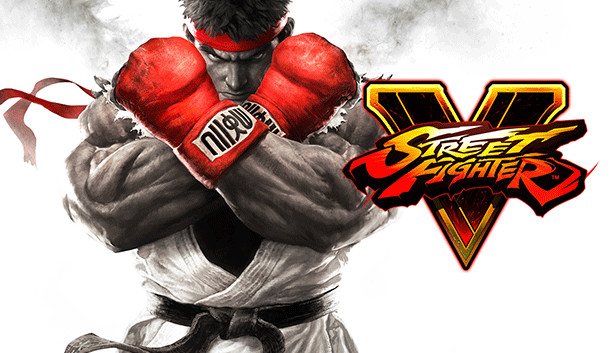
Experience the intensity of head-to-head battle with Street Fighter® V! Choose from 16 iconic characters, each with their own personal story and unique training challenges, then battle against friends online or offline with a robust variety of match options.
Earn Fight Money in Ranked Matches, play for fun in Casual Matches or invite friends into a Battle Lounge and see who comes out on top! PlayStation 4 and Steam players can also play against each other thanks to cross-play compatibility!
This version of Street Fighter V displays the “Arcade Edition” title screen and includes Arcade Mode, Team Battle Mode and the online-enabled Extra Battle Mode, where you can earn rewards, XP and Fight Money! Fight Money can be used to purchase additional characters, costumes, stages and more!
Download the cinematic story “A Shadow Falls” today for FREE! M. Bison deploys seven Black Moons into orbit, granting him unimaginable power as the earth falls into darkness.
Sound card: DirectX compatible soundcard or onboard chipset
Additional notes: Compatible with XInput and DirectInput USB devices including gamepads and arcade sticks based on Xbox 360, Xbox One, and DualShock controllers. Steam Controller also supported.
windows Recommended
OS: WINDOWS® 7, 8, 8.1, 10 (64-BIT Required)
Processor: Intel Core i5-4690K @3.50GHz or AMD FX-9370
Memory: 8 GB RAM
Graphics: NVIDIA® GeForce® GTX 960 or AMD Radeon R7 370
Directx: Version 11
Network: Broadband Internet connection
Sound card: DirectX compatible soundcard or onboard chipset
Additional notes: Compatible with XInput and DirectInput USB devices including gamepads and arcade sticks based on Xbox 360, Xbox One, and DualShock controllers. Steam Controller also supported.
To activate the game, you need a Steam Account
Login or register at the official Steam Website and download Steam client
Install and start application, login with your Account name and Password
Click the Games Menu.
Choose Activate a Product on Steam...
Follow the onscreen instructions to complete the process
After the successful code verification, go to the "MY GAMES" tab and start downloading.
News & Updates
2026-09-02
Get 50 Extra YXP for a Limited Time
Ready to level up your YUPLAY Loyalty progress? The YXP Extra Event is back, giving you another chance to earn 50 bonus YXP with every qualifying order. Spend at least €10 between 02.09.2026 15:00 CET and 07.09.2026 15:00 CET and get an extra 50 YXP on top of your regular Loyalty Program rewards!
ACE COMBAT 8 Could Be the Series’ Most Ambitious Entry
The upcoming Ace Combat 8: Wings of Theve marks a completely new chapter in the popular flight shooting series, by effectively blending cinematic storytelling with the thrills of aerial combat like never before. Developed by Bandai Namco Aces Inc., the game will build upon the decades of established expertise in order to further boost the series’ strong sides…