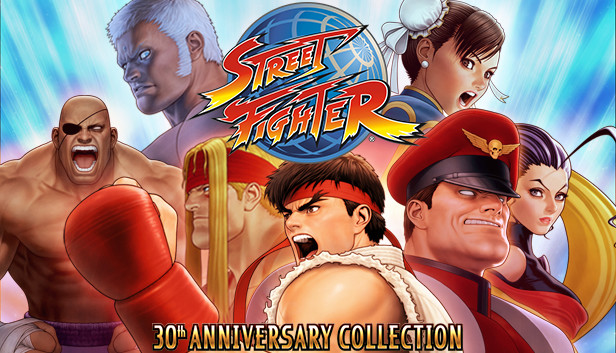
Street Fighter: 30th Anniversary Collection

Åland Islands, Albania, Andorra, Anguilla, Aruba, Austria, Bahrain, Bangladesh, Belgium, Bhutan, Bosnia and Herzegovina, Bulgaria, Cayman Islands, Congo, Democratic Republic of the, Cook Islands, Croatia, Curaçao, Cyprus, Czech Republic, Denmark, Egypt, Estonia, Faroe Islands, Fiji, Finland, France, Georgia, Germany, Gibraltar, Greece, Guadeloupe, Guernsey, Holy See (Vatican City State), Hungary, Iceland, Ireland, Isle of Man, Israel, Italy, Jersey, Jordan, Kuwait, Latvia, Lebanon, Liechtenstein, Lithuania, Luxembourg, Maldives, Malta, Marshall Islands, Martinique, Mayotte, Micronesia, Federated States of, Monaco, Mongolia, Montenegro, Montserrat, Nepal, Netherlands, Niue, Northern Mariana Islands, Norway, Oman, Papua New Guinea, Poland, Portugal, Qatar, Republic of North Macedonia, Romania, Saint Martin (French Part), San Marino, Serbia, Sint Maarten, Slovakia, Slovenia, Solomon Islands, Spain, Svalbard and Jan Mayen, Sweden, Switzerland, Tonga, United Arab Emirates, United Kingdom
Game Description
System Requirements
Activation Details
Celebrate Street Fighter’s historic legacy with the Street Fighter 30th Anniversary Collection. In this massive collection of 12 Street Fighter titles, perfect arcade balance makes it to consoles and PC for the first time ever. Four groundbreaking titles let you hop online and relive the arcade experience through the online Arcade Mode or play with friends - SFII Hyper Fighting, Super SFII Turbo, SF Alpha 3 and SFIII: Third Strike!
The celebration continues in the Museum, where fans and historians alike can follow the timeline of how Street Fighter has evolved over the past 30 years. Learn more about the Street Fighter cast, view key animation sprites in the character viewer and take a behind-the-scenes look at the design documents that helped solidify the franchise that produced generations of World Warriors!
To activate the game, you need a Steam Account
-
Login or register at the official
Steam Website and download Steam client - Install and start application, login with your Account name and Password
- Click the Games Menu.
- Choose Activate a Product on Steam...
- Follow the onscreen instructions to complete the process
- After the successful code verification, go to the "MY GAMES" tab and start downloading.