2026-10-23
BOO! Giveaway - Win a Game of Your Choice
Make a purchase of any amount between 23.10.2026 15:00 CET and 28.10.2026 15:00 CET, submit your Order ID in our Gleam and get a chance to win a FREE GAME (up to 50€).…



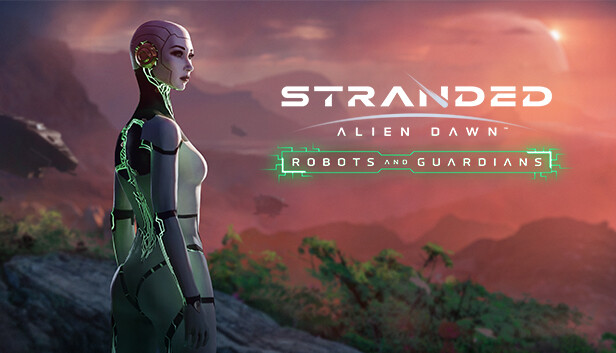
Take up the rebel cause and extend your Stranded: Alien Dawn experience with this brand-new scenario.
You have liberated Hope, the first sentient android, and have been forced to take refuge on an uncharted alien planet in the Outer Worlds. Defend against the threat of the ruthless manufacturing consortium aiming to destroy her.
Establish and upgrade your base and defences with powerful new technologies to help you and your fellow rebels protect Hope for long enough to achieve full sentience.
Overcome waves of armed automatons bent on recapturing the consortium’s priceless asset. Hope will need your protection as her developing mind continues to advance.
Meet Hope, the first ever sentient android. Hope shares more similarities with humans than robots but is distinctly different from both. Ensure your rebels protect Hope from waves of hostile automated attacks from the consortium that created her while she continues to learn and grow.
Scavenge fallen consortium attackers and take advantage of their powerful futuristic tech. Enhance your fortifications and research the tools your rebels will need to thrive in a more threatening Alien Dawn.
Then take the fight up close and personal with laser swords, or, if you prefer a more ranged approach, harness devastating mobile turrets and deadly bots & battle drones, along with a number of other high-tech options for bolstering your defences.
Take advantage of an extended tech tree and embrace new ways to automate tasks around your base. With the introduction of cutting-edge surgical automatons capable of carrying out complex surgery, you will no longer need a dedicated healer.
Craft advanced harvest and service robots, powered by advanced AI Cores, and utilise them to optimise day-to-day tasks while you and your fellow rebels focus on your primary goal... to protect Hope.