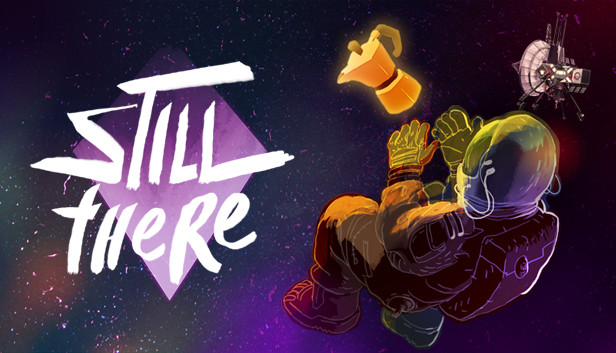
STILL THERE is a story-driven psychological adventure game about lingering grief, technical puzzles, wacky AIs and dark humour. Evade the past, welcome oblivion, make the perfect Italian coffee.
LEARN THE TRUTH
After receiving an emergency radio transmission, the routines of an isolated space-lighthouse keeper and his AI companion are broken forever. Confront, console and confess through dialogues with rich and compelling characters. A classic, humane, sci-fi mystery.
SOLVE CHALLENGING PUZZLES
You’ll earn a living as Karl Hamba, sole operator of The Bento; monitoring and repairing its core systems alongside Gorky, your on-board artificial intelligence. Study your environment to understand the complex functions of the station, report back to your inept employers and discover your true purpose.
PASS THE TIME
In between your daily tasks you’ll find plenty to occupy yourself with. Challenge Gorky to a game of chess, nurture a pet tuatara and recycle your own urine into another “delicious” meal. The Bento is brimming with detail and interesting ways to interact with everything you see.
Sound card: DirectX compatible sound card with latest drivers
Additional notes: Using an AMD Crossfire setup might result in performance issues.
windows Recommended
OS: Windows 7 64-bit and above
Processor: Intel Core i5-4690K @3.50GHz or AMD FX-9370
Memory: 8 GB RAM
Graphics: NVIDIA® GeForce® GTX 960 or AMD Radeon R7 370
Storage: 512 MB available space
Directx: Version 11
Sound card: DirectX compatible sound card with latest drivers
Additional notes: Using an AMD Crossfire setup might result in performance issues.
macosx Minimum
OS: MacOS Sierra 10.13.6
Processor: Intel Core i3 2.4GHz
Memory: 6 GB RAM
Graphics: Intel UHD Graphics 630
Storage: 512 MB available space
macosx Recommended
OS: MacOS Mojave 10.14
Processor: Intel Core i5-4690
Memory: 8 GB RAM
Graphics: AMD Radeon Pro 560
Storage: 512 MB available space
To activate the game, you need a Steam Account
Login or register at the official Steam Website and download Steam client
Install and start application, login with your Account name and Password
Click the Games Menu.
Choose Activate a Product on Steam...
Follow the onscreen instructions to complete the process
After the successful code verification, go to the "MY GAMES" tab and start downloading.
News & Updates
2026-07-20
Our Way of Saying Thank You
Great games are nothing without loyal gamers and we're grateful to have such an amazing community that supports our store. That’s why we’re launching our special “YUPLAY Is Feeling Generous” campaign as a way of saying “Thank you”. During this campaign, with every order over €30 you will receive a free 10% discount code that can be used during your next purchase…
The FIFA World Cup 2026 is coming in hot this summer and while these coming weeks it is all going to be centered around the best game in the world of sports, we decided to bring you a dedicated YUPLAY giveaway to commemorate the occasion together! This promotional giveaway campaign invites all of our followers to try and predict the exact final scores of selected matches from the World Cup…